Deactivated for FBA reimbursement abuse? It can be appealed with a claim-by-claim audit and proof the problem is fixed.
What an FBA reimbursement abuse notice means
Amazon reimburses sellers when FBA inventory is lost or damaged in its warehouses. If Amazon decides that claims on your account were incorrect, duplicated or excessive, it can deactivate the account and hold funds while it reviews the history.
The patterns we see most often are claims for units that were later found or already reimbursed, claims with quantities or values that do not match invoices, and a sudden high volume of claims filed by an automated tool or a third-party reimbursement service on the seller’s behalf.
Using a reimbursement service is not against Amazon’s rules on its own. What matters is whether each claim was accurate, and you are responsible for every claim filed on your account.
What Amazon needs to see in your appeal
A full claims audit
A review of the reimbursement history, showing which claims were valid and which were not, with case IDs and amounts.
Overpayments corrected
Any reimbursement received in error is identified and returned or offset, with proof.
The cause stopped
If a tool or service filed the claims, show that it was stopped or changed and who now approves claims.
Controls for the future
Checks before every claim: inventory reconciliation, matching invoices and no repeat claims for the same units.
Why first appeals get rejected
- Blaming the reimbursement service without showing what you checked and fixed.
- No claim-level detail, only a general promise to be more careful.
- Keeping reimbursements that were paid in error.
- Denying the problem without evidence that every claim was accurate.
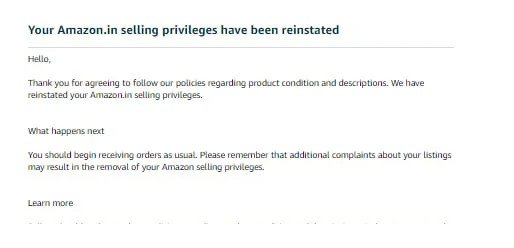
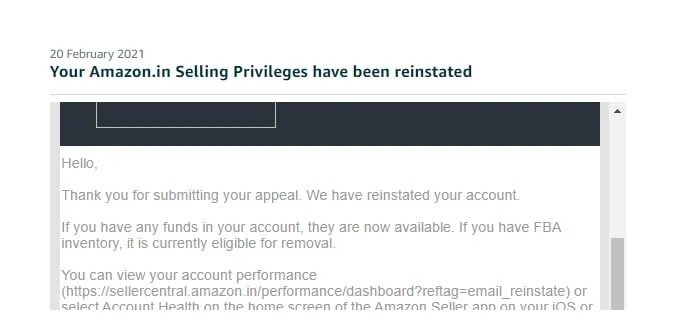
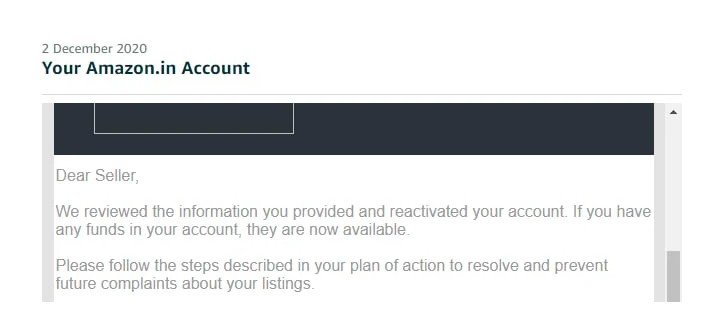
Real reinstatement results
Documents we usually need
- The deactivation notice and all related Amazon emails
- Your FBA reimbursements report
- A list of reimbursement cases and their IDs
- Your agreement with any reimbursement service
- Inventory reconciliation for the units involved
- Supplier invoices for the disputed units
How we handle your case
- Free review of your notice. We tell you honestly whether we think the case can be won.
- Claims audit. We go through the reimbursement history to find which claims Amazon is likely to question.
- Plan of Action written for your case. Root cause, corrections already made and the controls you now use.
- Submission and follow-up. We respond to Amazon’s replies and revise the appeal if it is rejected.
What we need from you
- Share the full history: every notice, earlier appeal and reimbursement service you used.
- Send genuine documents only. Edited documents end the case, and the upfront fee is not refunded.
- Reply within 3 days. After 7 days without a reply, the case is closed and the upfront fee is not refunded.
- Pay the balance within 48 hours of Amazon’s reinstatement email.
Fees and timeline
If Amazon deactivated the account under Section 3, the case is complex: $200 to start and $400 only after reinstatement. Reading your notice is free, and your quote confirms the case type before you pay.
Frequently asked questions
What happens if Amazon rejects the appeal?
We keep working on your case at no extra cost. We revise the Plan of Action, resubmit and escalate where possible, until your account is reinstated or Amazon gives a final decision with no further appeal route. This covers the same case only; a new notice or a new violation is a new case. It depends on you replying and sending documents on time, as set out in “What we need from you”. You pay the balance only after reinstatement. No one can guarantee Amazon’s decision.
A reimbursement service filed the claims. Am I still responsible?
Yes. Amazon holds the account owner responsible for every claim. The appeal should show what you checked, what you corrected and how claims are approved now.
Do I have to pay back reimbursements?
Any reimbursement paid for a claim that was not valid should be returned or offset. Showing this is usually a key part of the appeal.
Can I keep using a reimbursement service?
Possibly, but only with your own check before claims are filed. Many sellers switch to approving each claim themselves after a deactivation.
Get a free review of your notice
Send the deactivation email or a screenshot. You get an honest answer before you pay.