Video verification problems are usually about preparation and matching documents, not wrongdoing. Here is how to get through it the next time.
Quick answer
If your Amazon video verification failed or you missed the appointment, check Seller Central for an option to book a new call or upload documents. Before the next call, make sure the account holder will attend with the original ID, and that every document matches Seller Central exactly. Most failures come from mismatched details, unclear documents, or the wrong person attending.
Key takeaways
- Amazon uses video calls to confirm the person behind the account is who the account says.
- The account holder whose ID was submitted should attend, with the original ID in hand.
- Names and addresses on every document must match Seller Central exactly.
- A missed appointment can delay the case, so plan the call time carefully.
- Disbursements are usually held until verification is complete.
Need help with this suspension?
Send us your notice for a free case review. You get an honest answer before you pay.
What Amazon checks on the video call
Amazon’s video verification is a short call with an Amazon associate. Its purpose is to confirm that the person controlling the account is the same person shown on the documents submitted, and that those documents are genuine.
During the call you may be asked to show your original ID and other documents to the camera, and to confirm basic details about yourself and your business. The associate is checking that everything lines up: your face, your ID, your documents and your Seller Central details.
Verification can be requested when you register, or later on an existing account. It is often triggered by a change, such as new bank details, a new address, or activity Amazon wants to confirm.
Why video verification fails or gets missed
Details do not match
The most common reason. A middle name missing on one document, an old address on a utility bill, or a business name written differently can be enough for the call to end without verification.
Documents are not accepted
Copies, expired IDs, or documents that are blurred or partly hidden during the call can lead to a failed verification. Amazon generally expects originals.
The wrong person attends
The call is for the account holder whose ID was submitted. Sending a partner, employee or agent instead usually means the call cannot be completed.
The appointment is missed
Time zone mix-ups, poor internet connection or simply forgetting the slot can all lead to a missed call. Depending on the account, this can delay verification and keep funds on hold longer.
Verification failed or missed? Tap the green WhatsApp icon on your screen and send us the message Amazon sent. We will help you find what did not match before you book again.
How to prepare for the next call
- Check Seller Central first. Look for any option Amazon gives you to book a new appointment or upload documents, and note any deadline.
- Match every detail. Compare your name, address and business details on each document with Seller Central, character by character.
- Gather originals. Have your original ID and any requested documents ready on the desk before the call.
- Test your setup. Use a quiet, well-lit place, a steady internet connection, and a device with a working camera and microphone.
- Confirm the time. Double-check the appointment time in your own time zone and join a few minutes early.
Do’s and don’ts for video verification
| Do this | Avoid this |
|---|---|
| Have the account holder attend in person on camera. | Sending someone else to the call on your behalf. |
| Show original documents clearly to the camera. | Showing photocopies, screenshots or expired IDs. |
| Make sure names and addresses match Seller Central exactly. | Using documents with an old address or a different name format. |
| Join from a quiet, well-lit place with a stable connection. | Joining from a moving vehicle or a noisy location. |
| Answer questions simply and honestly. | Guessing answers about your own business details. |
Video verification document checklist
- Original government-issued photo ID (not expired)
- Recent bank or card statement in the account holder or business name
- Recent utility bill for the registered address
- Business registration documents, if selling as a business
- Seller Central details checked against every document
- A working camera, microphone and stable internet
- The appointment time confirmed in your time zone
- The account holder available for the full call
Real reinstatement results
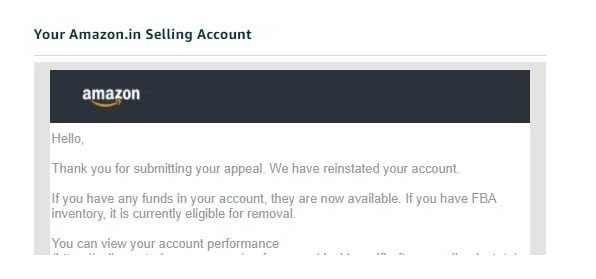
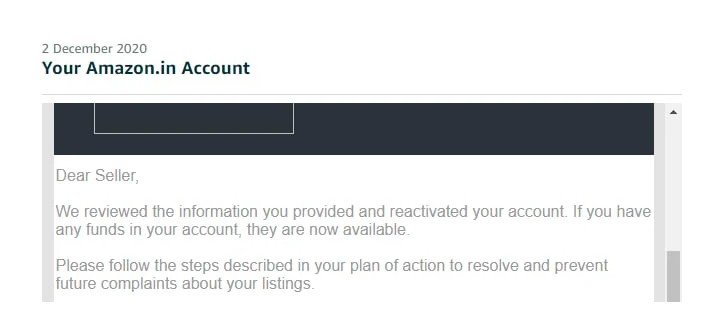
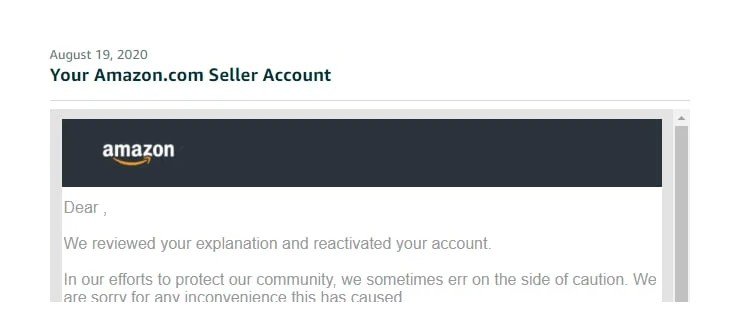
These are reinstatement emails from client cases we handled, including verification cases.
How our fee works
You pay a small part to start, and the rest only when your account is active again.
Tap the WhatsApp icon on your screen to start. The first review of your notice is free.
For the full picture on held funds, read our guide on identity verification and frozen funds.
Frequently asked questions
Can I reschedule a missed Amazon video verification?
Check Seller Central for an option to book a new appointment or respond to the request. The options shown can differ between accounts, so follow what Amazon offers on yours.
Who must attend the video call?
The account holder whose ID was submitted. Sending another person usually means the call cannot verify the account.
Why did my verification fail if my documents are genuine?
Genuine documents can still fail if details do not match Seller Central exactly, or if they are unclear, expired or copies. Matching every detail is the first thing to check.
Will my funds stay on hold until I am verified?
Disbursements are usually held while verification is pending. Once the account is verified and active, payouts generally resume on the normal schedule.
Can you attend the call for me?
No. The call must be attended by the account holder. We help you prepare, check every document beforehand and handle the appeal side if needed.
Need help with this suspension?
Send us your notice for a free case review. You get an honest answer before you pay.
Leave a Reply