Amazon deactivated one or more listings because mandatory compliance information is missing. This is a documentation request, not an accusation. The listing comes back when the right document is accepted.
Quick answer
The notice means Amazon needs proof that the product meets the safety rules for its category. Open the product compliance request on your Account Health page, read the requirement listed for each ASIN at the end of the email, and upload the document it names, or evidence that the product is exempt. Amazon says it only reinstates products that fulfil the compliance requirements.
Key takeaways
- The requirement is product-specific. The table at the end of the email says what applies to each ASIN.
- You can either submit the documents or show that the product is exempt.
- Amazon says the ASIN stays deactivated until the request is fulfilled by you or another seller listing the product.
- FBA stock for these products must be removed within 30 days of the notice, or Amazon disposes of it at your expense.
- Close or delete listings you do not plan to sell or appeal.
Need help with this suspension?
Send us your notice for a free case review. You get an honest answer before you pay.
What the notice says
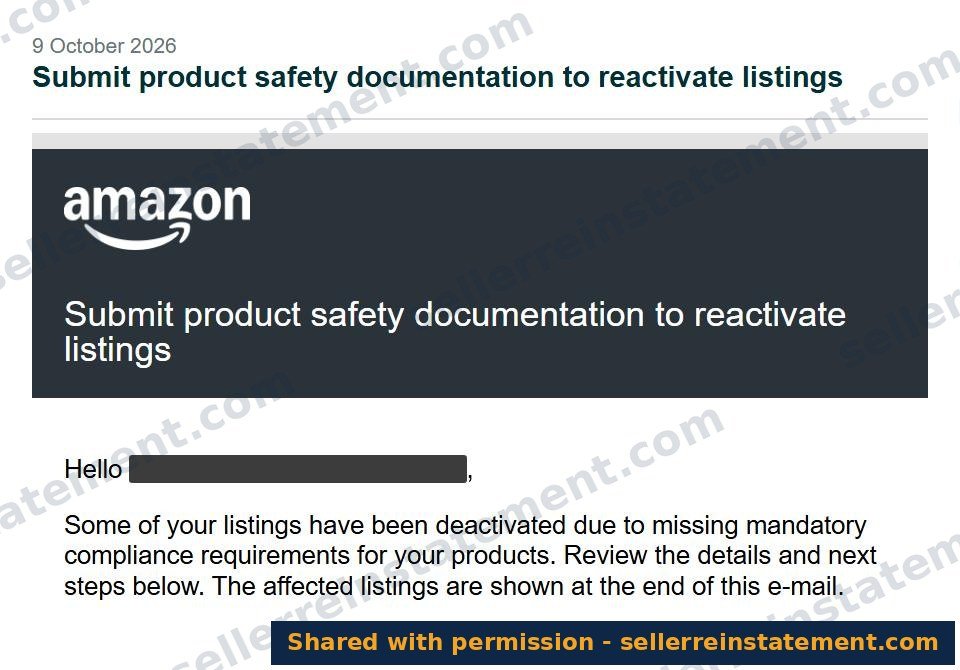
The subject line is “Submit product safety documentation to reactivate listings”. The key sentence is:
From Amazon’s notice
Some of your listings have been deactivated due to missing mandatory compliance requirements for your products.
Amazon adds that it used a combination of automated means and expert human review to make the decision. In one client case the product was a stainless steel water bottle, and Amazon asked the seller to show that hot flasks and bottles listed on Amazon India comply with the applicable laws, regulations, standards and Amazon policies.
What Amazon is asking for
This is not about your performance or the authenticity of your stock. Amazon wants a document that proves the product itself meets the rules for its category in that marketplace.
Depending on the product and country, that can be a test report from an accredited laboratory, a certificate or licence from the national standards body, a declaration of conformity, or images showing the required markings on the product and packaging. The notice tells you which one.
Not sure what your notice is asking for? Tap the green WhatsApp icon on your screen and send us the notice. Reading it is free.
How to reactivate the listings
- Open Account Health and find the product compliance requests.
- Read the requirement for each ASIN. Note the exact standard or document named.
- Ask the manufacturer or brand for that document. It must cover the same product and model you list.
- Check it before uploading. Product name, brand and model should match the listing, and the document should be in date and issued by a recognised body.
- Upload it through the compliance request. If the product is exempt, upload evidence that explains why.
- Deal with FBA stock. If you cannot comply, create a removal order within 30 days.
- Close or delete affected listings you will not support.
Mistakes that keep listings deactivated
- Sending a purchase invoice. An invoice proves where you bought the product, not that it is compliant.
- A certificate for a different model or a different manufacturer.
- An expired document or a report from a laboratory that is not accredited.
- Waiting for another seller to fix it. That can happen, but you have no control over when.
- Leaving the listing open and ignoring the request. Amazon asks you to close or delete listings you do not intend to sell or appeal.
When to get help
Get help when the manufacturer cannot supply the document, when you are not sure which standard applies, or when Amazon rejects a document you believe is correct. Our guide to reading an Amazon notice shows how to find what Amazon is really asking for.
How our fee works
A rejected appeal often needs a fresh look rather than another rewrite. You pay a small part to start, and the rest only when you are selling again.
Tap the WhatsApp icon on your screen to start. The first review of your rejection is free.
Frequently asked questions
Is this an account suspension?
No. It is a listing-level action. Amazon asks you to close or delete non-compliant listings to avoid further impact on your account.
I am a reseller and do not have these documents. What can I do?
Ask the brand, manufacturer or your distributor. If nobody can supply the document, close the listing.
What happens to my FBA inventory?
The notice says you must remove these products from fulfilment centres within 30 days, or Amazon disposes of them at your expense.
Can another seller’s documents reactivate the listing?
Amazon says the ASIN stays deactivated until the compliance request is fulfilled by you or another selling partner listing the product.
Need help with this suspension?
Send us your notice for a free case review. You get an honest answer before you pay.
Need help with a compliance request? See our Amazon compliance support service.