Seeing “under review” on your Amazon seller account is stressful, especially when listings go inactive or payments stop. This guide explains what the status means, the most common triggers, and the steps our appeals team takes before anything is submitted.
Quick answer
An Amazon seller account under review means Amazon is checking the account before deciding whether you can keep selling. Listings and payouts may be paused while it happens. Do not open a new account or send repeated messages. Check Account Health and your email for a request, answer exactly what Amazon asks for, and keep your documents consistent with your account details.
Key takeaways
- “Under review” is not the same as deactivated, but it can lead to deactivation if requests are missed.
- Common triggers: identity or address checks, a sudden sales spike, a policy complaint, or linked account signals.
- Answer only what Amazon asks for, with documents that match your account exactly.
- Never open a second account while the review is open.
- If Amazon sends a notice asking for a Plan of Action, treat it as an appeal.
Need help with this suspension?
Send us your notice for a free case review. You get an honest answer before you pay.
What “account under review” means on Amazon
When your Amazon seller account is under review, Amazon has paused some or all of your selling activity while it checks something about the account. You might see a banner in Seller Central, a message in Account Health, or an email asking for information.
During a review, your listings may be inactive and disbursements may be held. That does not mean the account is lost. Many reviews end once Amazon receives the information it needs. The risk is in how you respond: missed requests, mismatched documents or a rushed appeal can turn a review into a deactivation.
Why Amazon puts accounts under review
- Identity or business verification: Amazon wants to confirm who owns and runs the account. See our verification and funds guide.
- Sudden change in activity: a sales spike, a new category, or a large jump in inventory can trigger a check.
- Policy complaints: inauthentic, condition or safety complaints from buyers or rights owners.
- Linked account signals: shared details with another account that Amazon has restricted. See linked account help.
- Payment or bank details: a changed deposit method or a failed charge on the card on file.
Not sure what triggered your review? Tap the green WhatsApp icon on your screen and send us a screenshot of Account Health. We will tell you what it points to.
What to do when your account is under review
1. Find the exact request
Check Account Health, Seller Central notifications and the email address on the account, including spam. Amazon usually states what it needs: documents, a video call, or a Plan of Action.
2. Match every detail
Names, addresses and business details on your documents must match what is on the account. A small difference, such as an old address on a utility bill, is one of the most common reasons verification fails.
3. Answer only what was asked
Send the requested documents clearly and completely. Do not add long explanations or unrelated files.
4. Do not create a new account
Opening another account while one is under review can link the two and make both harder to recover.
5. If you receive a deactivation notice, treat it as an appeal
At that point you need a proper Plan of Action. Our Plan of Action template explains the structure.
Under review vs deactivated vs suspended
| Status | What it usually means |
|---|---|
| Under review | Amazon is checking the account and may ask for information. |
| Deactivated | Selling privileges are removed until you appeal or verify successfully. |
| Suspended | The term most sellers use for deactivation; Amazon now mostly says “deactivated”. |
| At risk | Account Health is low and action is needed before deactivation. |
More detail in our guide to Amazon account deactivated vs suspended.
Mistakes that turn a review into a deactivation
Weak response
Our account has been under review for days and we are losing sales. We have done nothing wrong. Please reactivate it immediately.
It gives Amazon nothing to review and reads as pressure.
Strong response
As requested, attached are our business registration certificate and a bank statement dated within the last 180 days, both showing the registered business address listed on the account.
It answers the request directly with documents that match the account.
Real reinstatement results
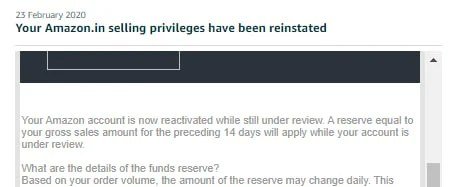
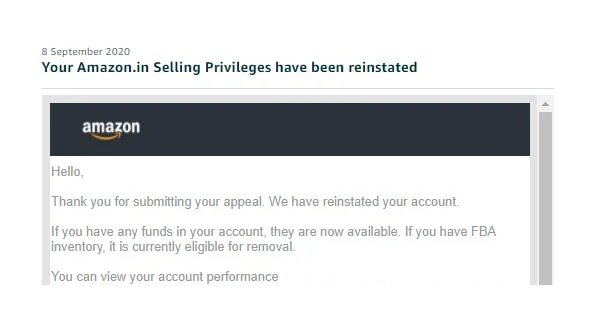
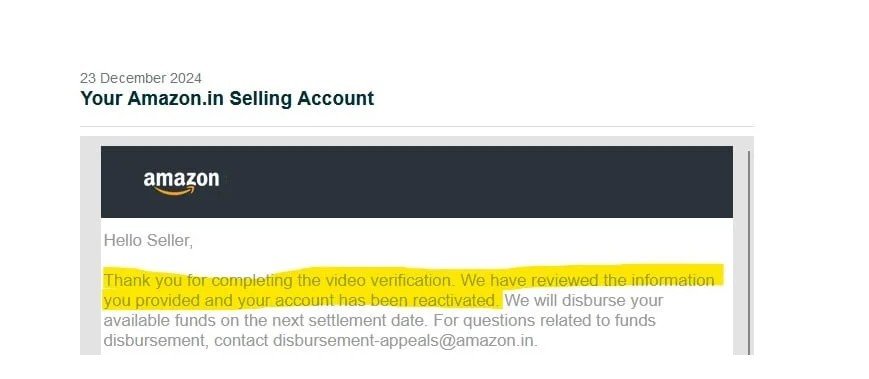
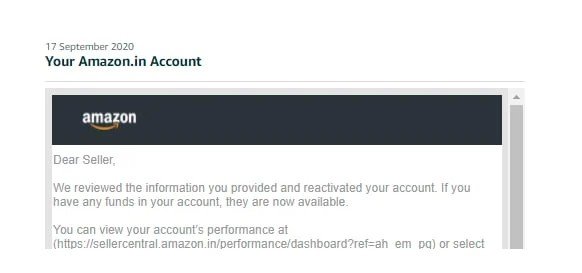
These are reinstatement emails from client cases we handled, including cases that had been rejected before they reached us.
How our fee works
A rejected appeal often needs a fresh look rather than another rewrite. You pay a small part to start, and the rest only when you are selling again.
Tap the WhatsApp icon on your screen to start. The first review of your rejection is free.
Frequently asked questions
How long does an Amazon account review take?
It varies by case and by what Amazon is checking. Some reviews close within days of sending the right documents; others take longer. We do not quote fixed timelines because Amazon does not publish them.
Will I get paid while my account is under review?
Amazon may hold disbursements during a review. Funds are usually released once the review ends, but if the account is deactivated, payouts can stay on hold until the case is resolved.
Should I call Seller Support about the review?
You can ask Seller Support what the review is about, but they usually cannot change the outcome. The response that matters is the one you submit through Account Health or the email Amazon sent.
Can I sell on a new account while one is under review?
No. A second account opened during a review is likely to be linked to the first and can be deactivated as well.
Can you help with an account under review?
Yes. Our appeals team reads your notice and Account Health for free and tells you what Amazon is likely checking. If an appeal is needed, we explain our fee before we start.
Need help with this suspension?
Send us your notice for a free case review. You get an honest answer before you pay.
Need help responding? See our Amazon reinstatement services.
Get Amazon account-health alerts
New policy changes, common deactivation triggers and how to avoid them. Occasional emails from our appeals team, no spam.
By subscribing you agree to receive emails from SellerReinstatement. Unsubscribe anytime. See our Privacy Policy.
Leave a Reply