Category: All Marketplaces

Amazon seller guides that apply on every Amazon store: appeals, Account Health, listings, feedback and how Seller Central works. Where a rule differs by country, the guide says so.

  • How to Add a User in Amazon Seller Central (2026 Guide)

    How to Add a User in Amazon Seller Central (2026 Guide)

    Need to give your accountant, VA or Amazon reinstatement expert access to Seller Central? Never share your password. This guide shows the new 2026 Seller Central screens, step by step with real screenshots, so even a first-time seller can add a user in about 3 minutes.

    By SellerReinstatement Appeals TeamUpdated November 20266 min read

    Quick answer

    To add a user in Amazon Seller Central: Settings ⚙️ → Manage permissions → Manage Employees → Actions → Invite Employee → enter name and email, tick sellerCentral → Send Invite. After they accept, click Edit → choose a role such as Manager → Add All → Save Changes.
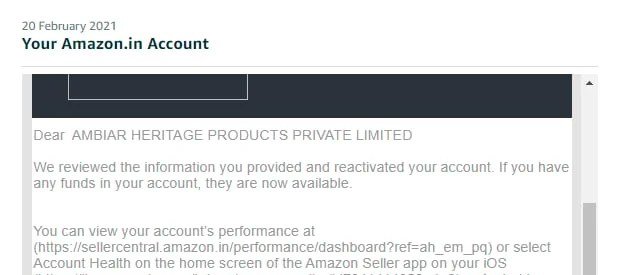
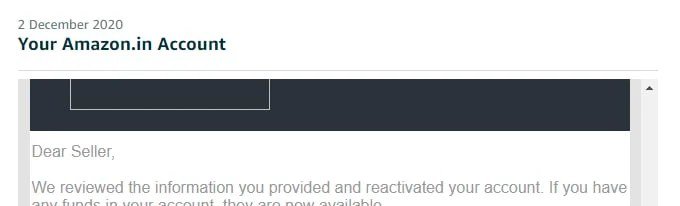
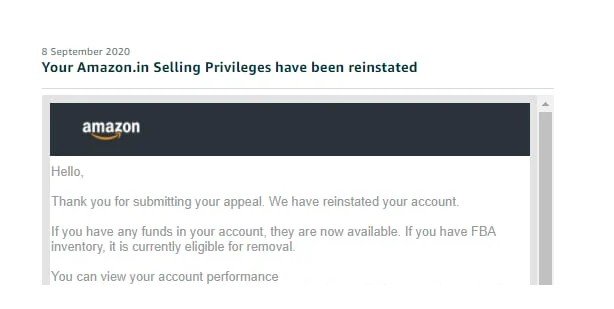
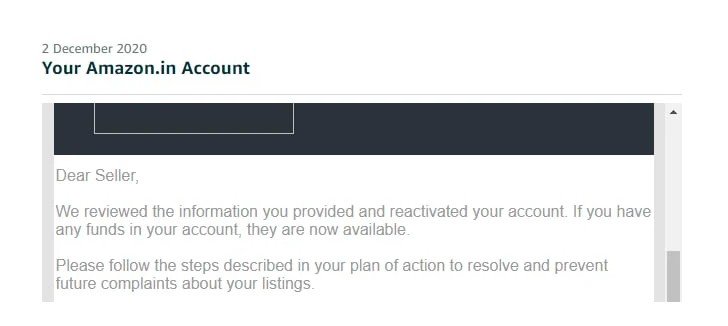
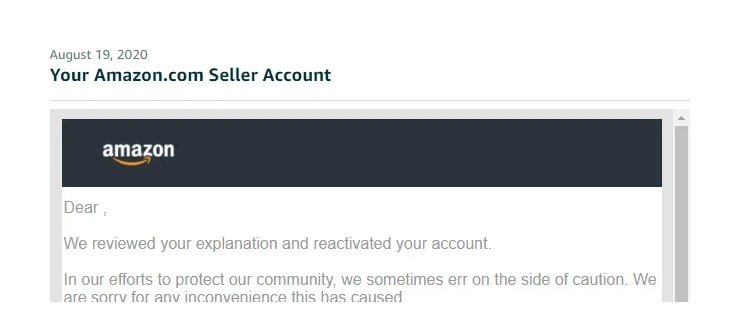
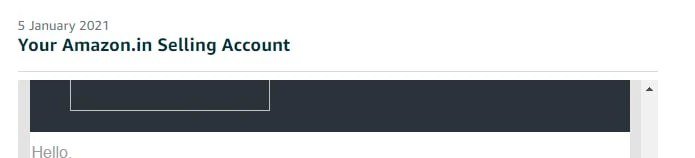
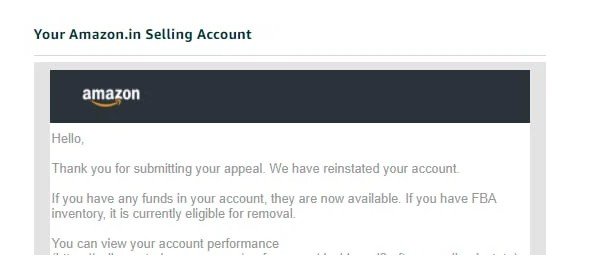
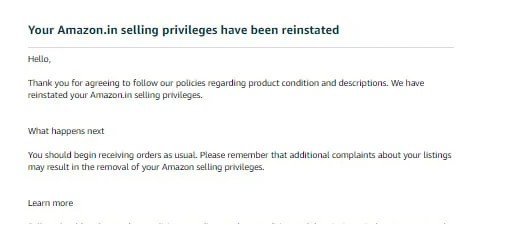
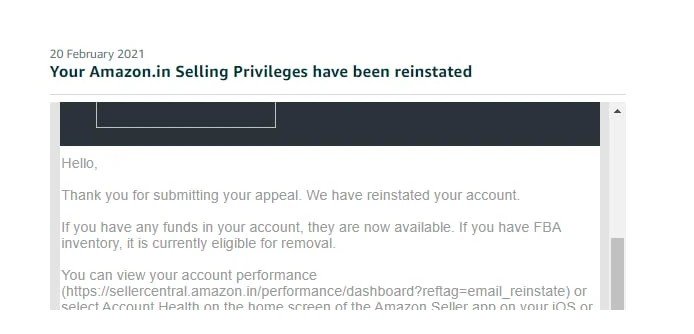
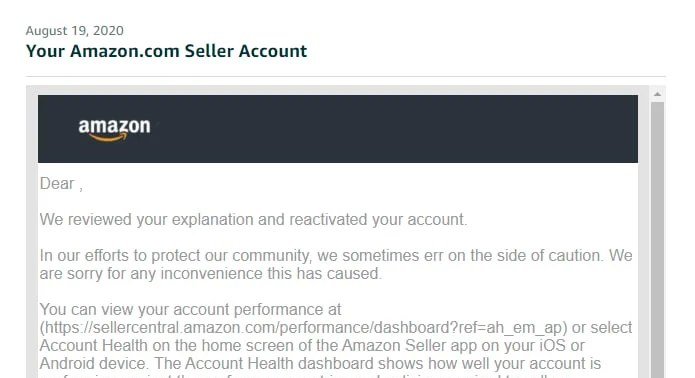
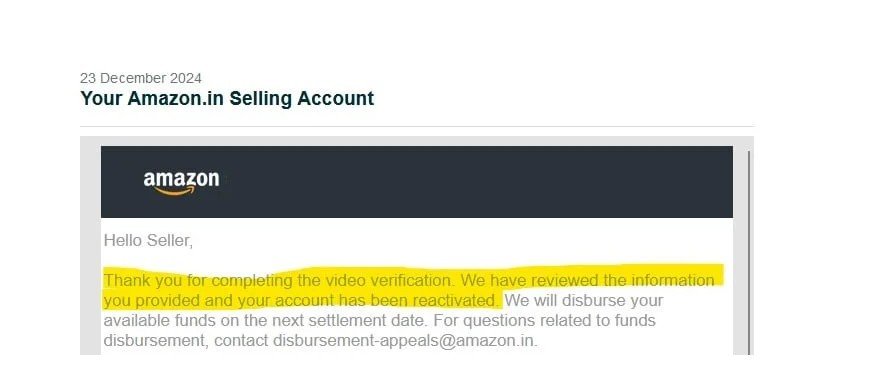
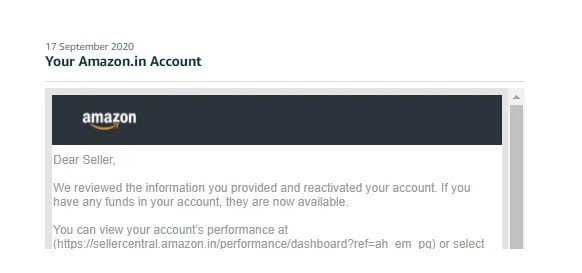
    Real Amazon reinstatement email from one of our client cases, shared with the client's permission
    Real result Amazon email from one of our client cases, shared with permission. Tap to view full size.

    Key takeaways

    • Only the account owner (or a user with permission rights) can add users. Every person gets their own login, so never share your password.
    • The 2026 path is Settings → Manage permissions → Manage Employees → Actions → Invite Employee.
    • After the user accepts, click Edit and pick a ready-made role. Manager → Add All sets everything in one click.
    • Manager → Add All also ticks universal site admin access (full admin). Give it only to someone you trust.
    • Seeing Access Restricted? The new user must first finish Amazon’s Solution Provider Portal verification.

    Before you start

    • Log in as the account owner (primary user), or as a user who can manage permissions.
    • Have the person’s name and email ready. They will log in with this email.
    • Amazon warns that secondary users can see sensitive data. Only add people who work for your business or a service provider you have hired.
    • Never share your own password or two-step verification codes.

    Step 1: Open Settings → Manage permissions

    Log in to Seller Central. Click the gear icon (Settings) at the top right and choose Manage permissions. On some accounts it is called User Permissions.
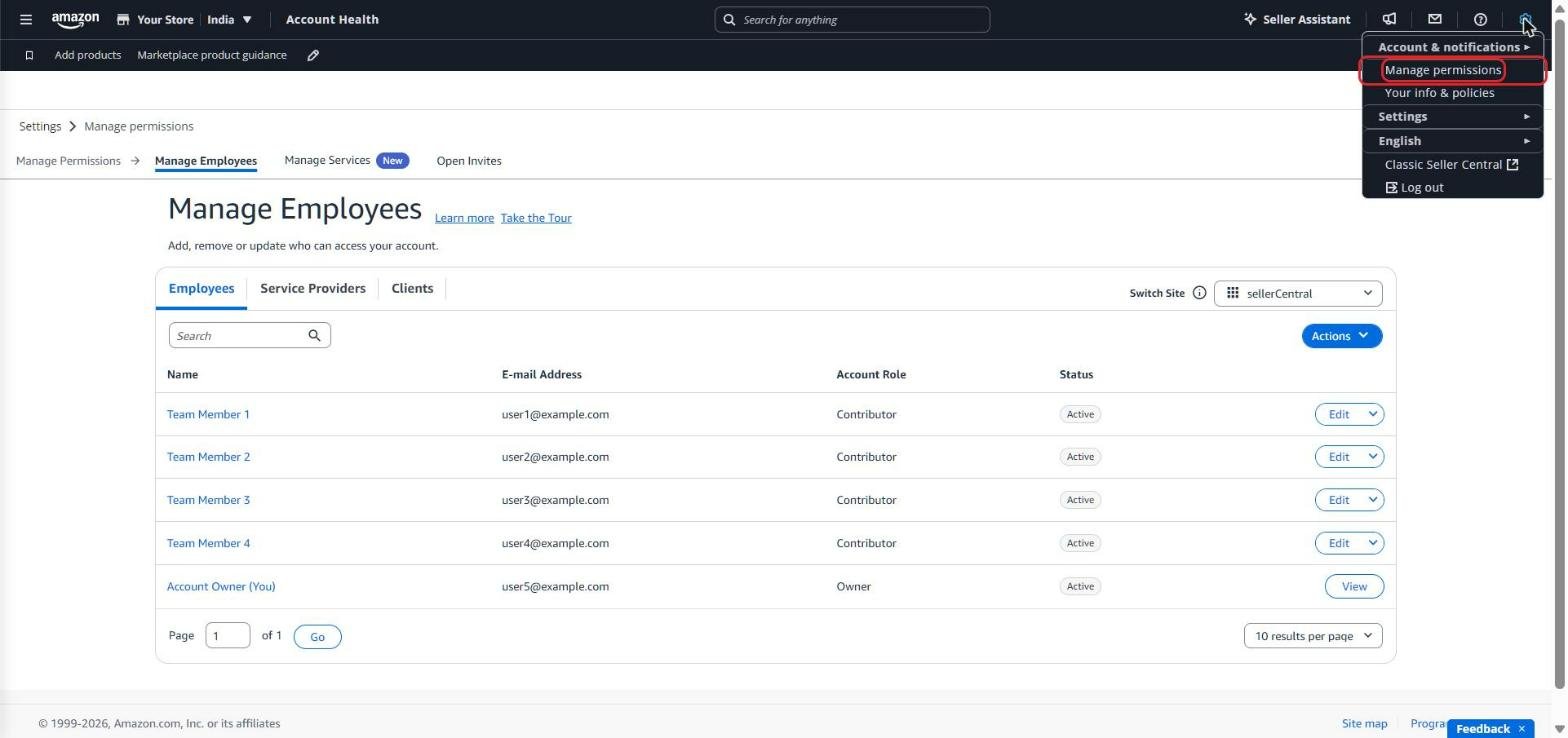
    Amazon Seller Central settings gear menu with Manage permissions highlighted
    Step 1: Settings ⚙️ → Manage permissions

    Step 2: Manage Employees → Actions → Invite Employee

    You land on Manage Employees, which lists everyone who already has access. Click the blue Actions button and choose Invite Employee. To add many people at once, use Send Bulk Invitations.
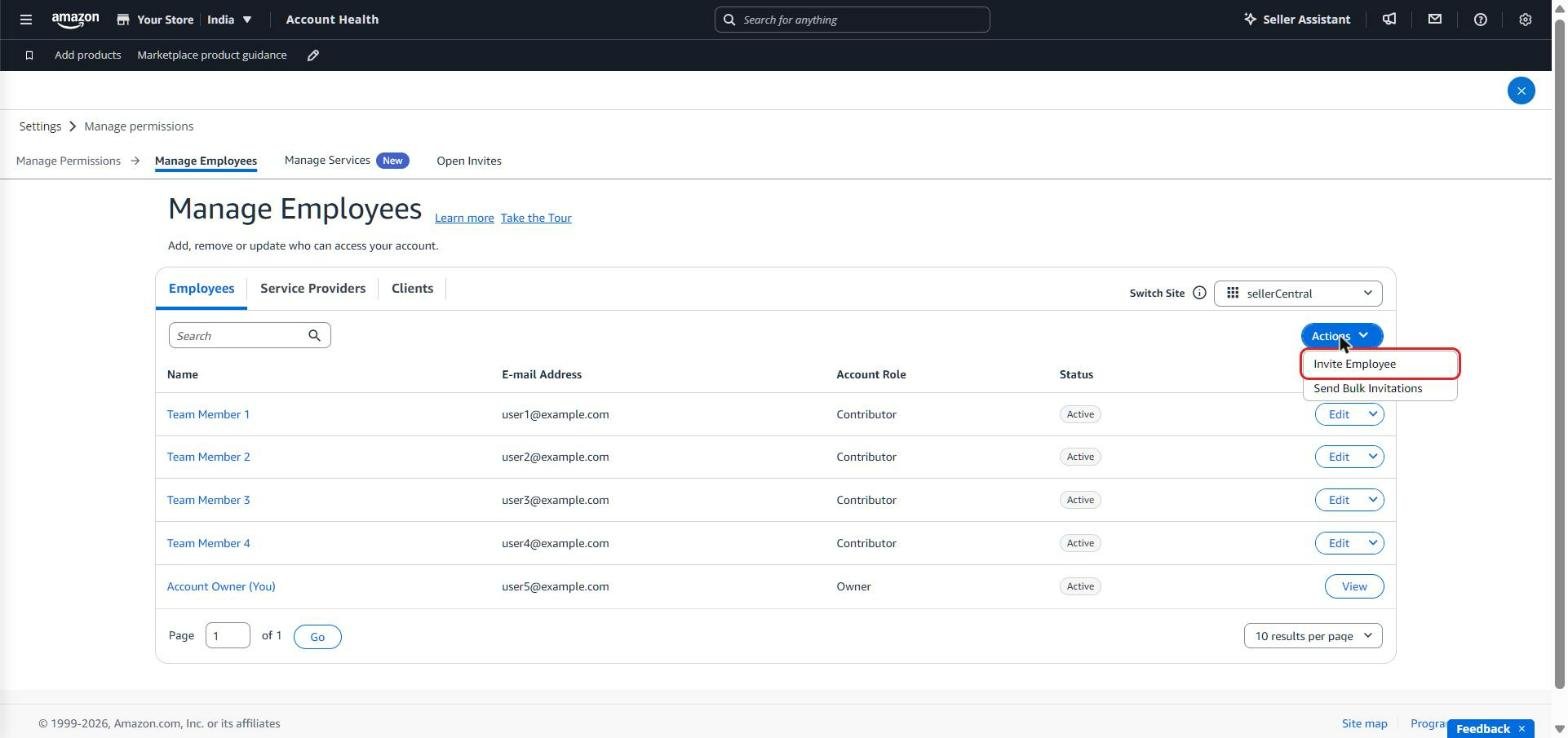
    Manage Employees page in Amazon Seller Central with Actions menu and Invite Employee option
    Step 2: Actions → Invite Employee

    Step 3: Enter the user’s name and email

    On the Add Employee page, type the person’s Name (they can change it later) and the E-mail they will log in with. Leave the language as English unless they prefer another one.
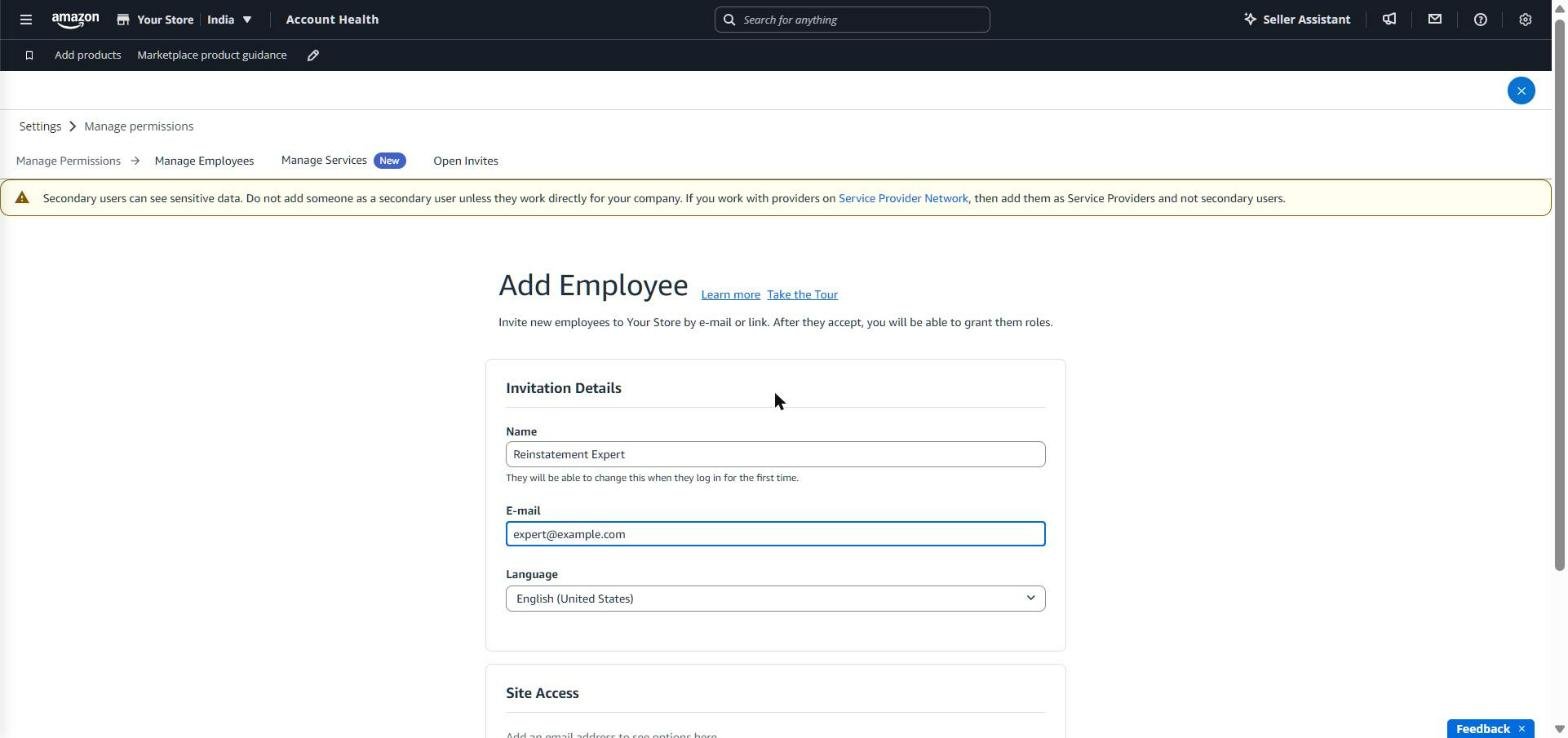
    Add Employee form in Amazon Seller Central with name and email fields
    Step 3: Enter name and email

    Step 4: Tick “sellerCentral” and click Send Invite

    Under Site Access → Add to Sites, tick sellerCentral, then click Send Invite. Amazon emails the person an invitation link.
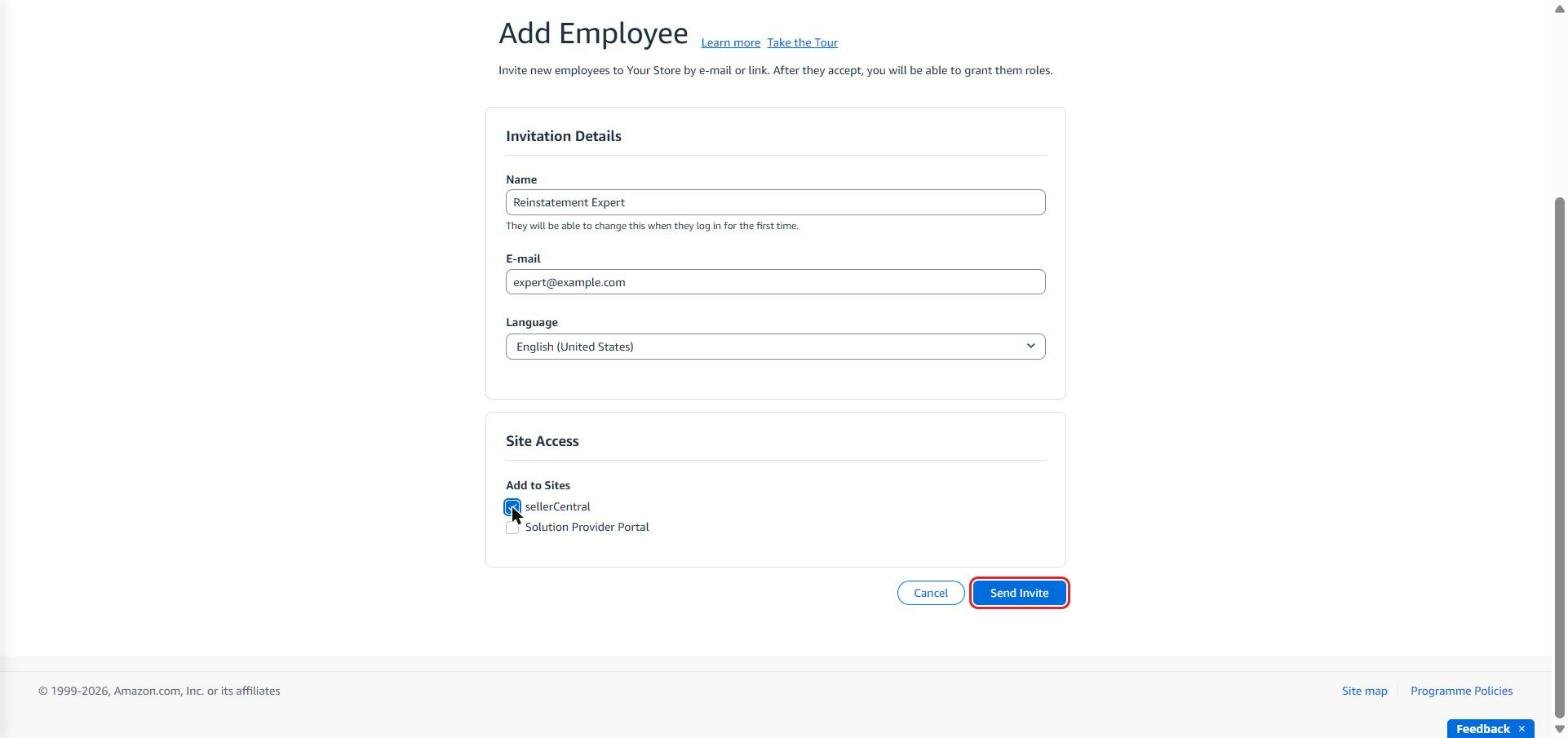
    Site Access section with sellerCentral checkbox and Send Invite button
    Step 4: Tick sellerCentral → Send Invite

    Tip: ask the person to log out of any other Amazon account before opening the invitation link. This avoids most setup errors.

    Step 5: After they accept, click Edit

    Once the invitation is accepted, the user appears in Manage Employees as a Contributor. Click Edit next to their name.
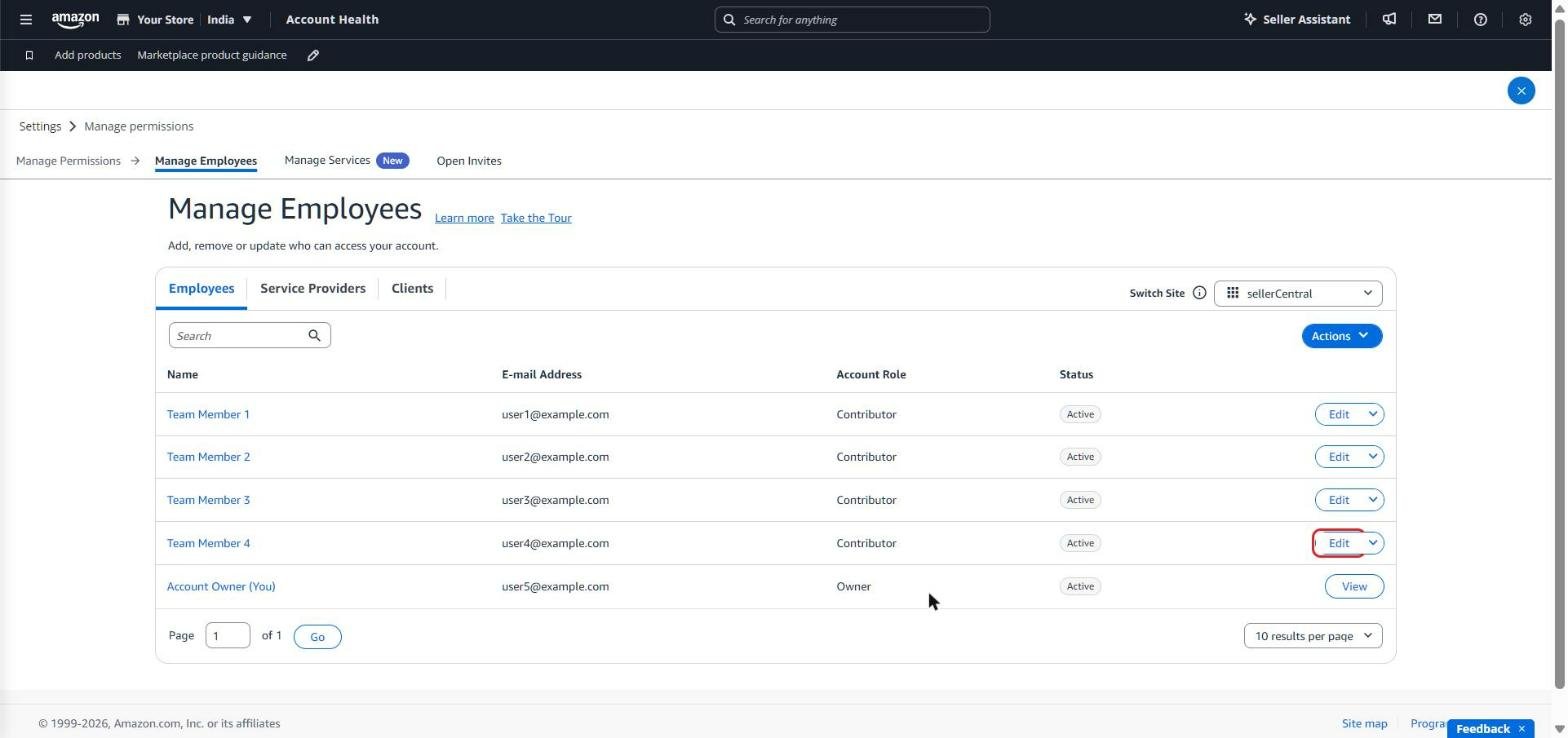
    Employees list in Amazon Seller Central with the Edit button highlighted
    Step 5: Click Edit next to the new user

    Step 6: Choose a role (Manager) and click “Add All”

    At the top of Edit User Permissions, Amazon offers ready-made roles: Generalist, Fulfilment, Advertising, Content, Customer Service, Executive and Manager. Click the role that fits the job. A dark banner appears. Click Add All to apply every recommended permission at once.
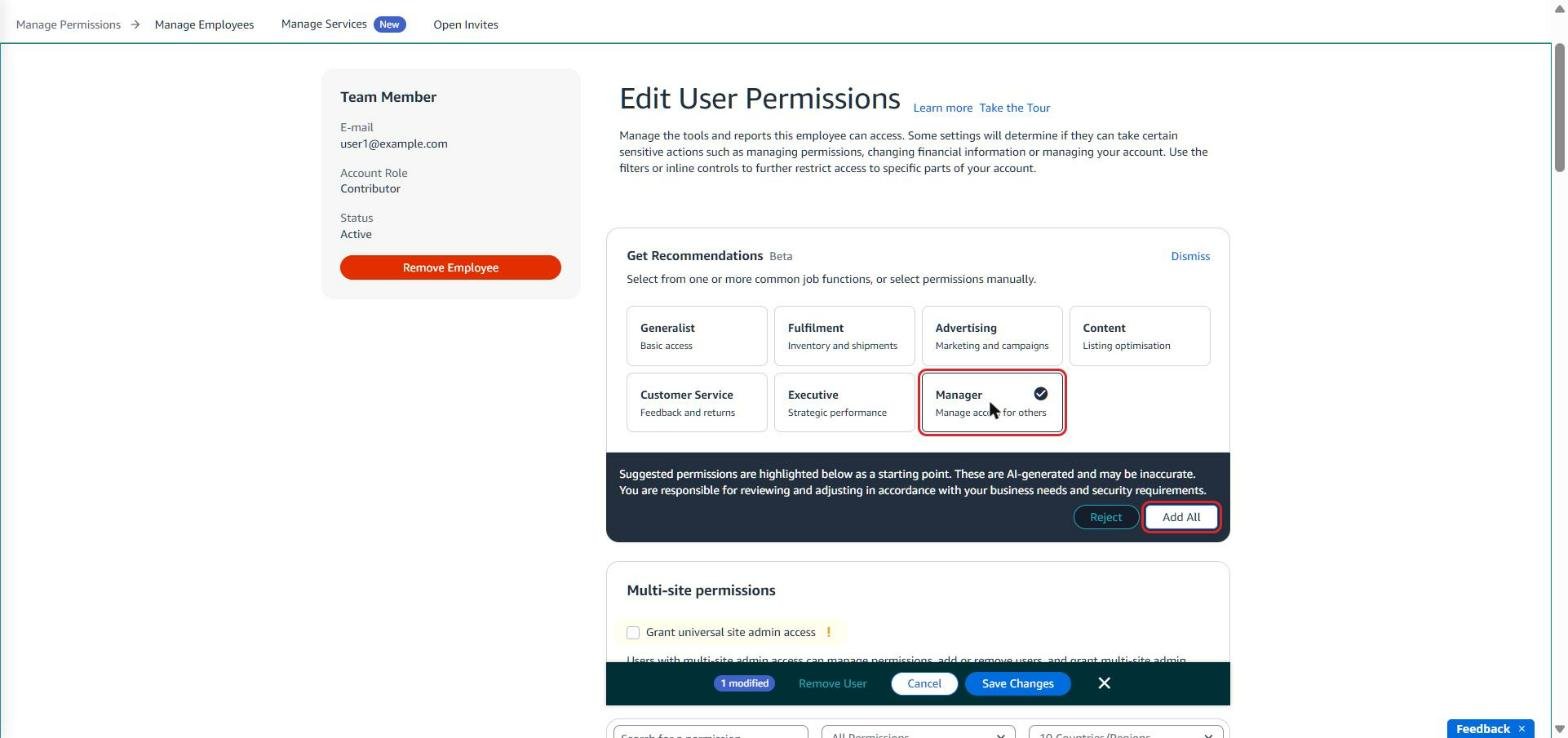
    Edit User Permissions with the Manager role selected and the Add All button
    Step 6: Select a role → Add All

    Step 7: Review and click Save Changes

    The bottom bar shows how many permissions changed (for example 35 modified). Click Save Changes. Done. The user can now log in with their own account.
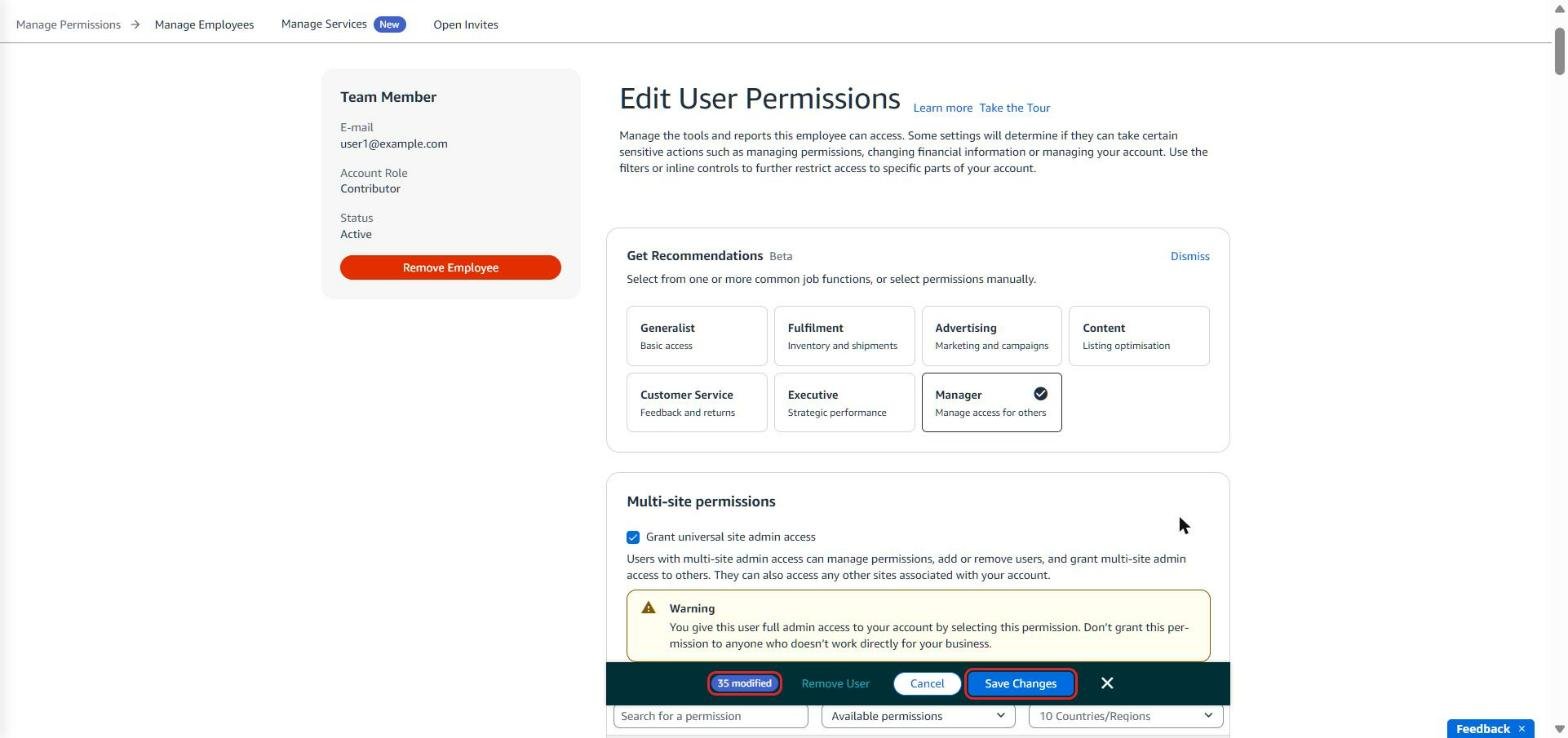
    Save Changes bar with modified count and the universal site admin access warning
    Step 7: Review → Save Changes

    Important: Manager → Add All also ticks Grant universal site admin access. That is full admin, so the user can manage other users too, and Amazon shows a warning. If you want less access, untick it or choose specific permissions instead.

    Seeing “Access Restricted”? Here is the fix

    Since Amazon’s 2026 update, a newly invited user must finish Solution Provider Portal registration and identity verification before you can edit their permissions. Until then you see Access Restricted and their status shows Needs Verification. Send them the “How to Register on Solution Provider Portal” link from the popup and try again once they are verified.
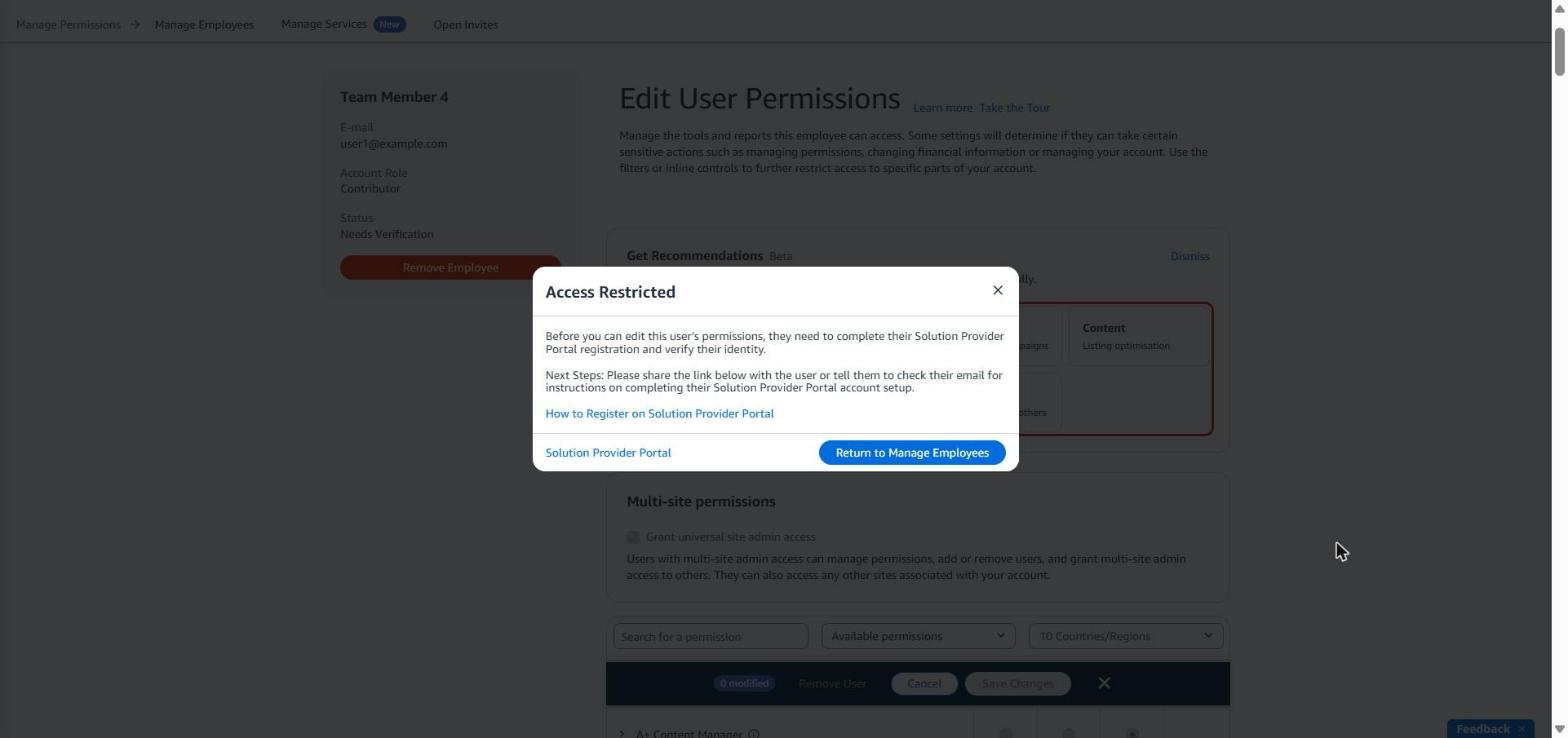
    Access Restricted message asking the user to complete Solution Provider Portal registration
    Access Restricted: the user must finish Solution Provider Portal verification first

    Which permissions does each person need?

    Every permission can be set to None, View, Edit or Admin. View lets them see a page, Edit lets them change it, and Admin also lets them grant it to others.

    PermissionWhat it allowsWho needs it
    Performance → AppealsSee and submit account and listing deactivation appealsReinstatement expert
    Reports → Account HealthAccount Health dashboard and policy violationsReinstatement expert, manager
    Reports → PaymentsBalance, held funds and payoutsAccountant, reinstatement expert
    Settings → Account InformationBusiness and identity information pagesReinstatement expert
    Settings → Manage Your CasesOpen, view and reply to Seller Support casesReinstatement expert, VA
    Settings → Messaging AccessRead and reply to buyer messagesCustomer service, VA
    Orders → TransactionsDownload order reportsAccountant, reinstatement expert
    Settings → Agreements/Amendments“Edit” = legal authority to accept Amazon agreements for youOwner only, in most cases

    How to give access to an Amazon reinstatement expert

    If your account is suspended or deactivated, your reinstatement consultant needs your Account Health, Performance Notifications and appeal history to write an accurate Plan of Action. The fastest way is to invite them as above and give the Manager role. To limit access, give at least: Appeals (Edit), Account Health and Payments (View), Account Information, Manage Your Cases and Messaging Access (Edit), and Transactions (View). You can remove access at any time with Remove Employee.

    New to suspension notices? Read how to read an Amazon suspension notice.

    Real reinstatement results

    These are reinstatement emails from client cases we handled. Every one started with a notice like yours.
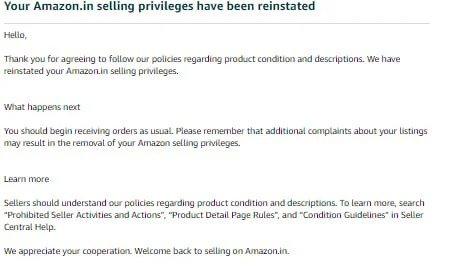
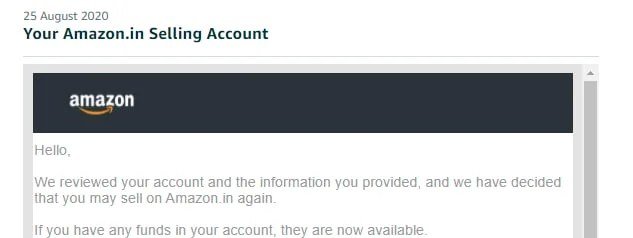
    Amazon email confirming a client's seller account was reinstated
    Real Amazon email from a client case
    Amazon email confirming a client's seller account was reinstated
    Real Amazon email from a client case
    Amazon email confirming a client's seller account was reinstated
    Real Amazon email from a client case

    How our fee works

    Reading your notice is free. If we take the case, you pay a small part to start and the rest only when you are selling again.

    $150To start: our full investigation ($200 for complex cases). Non-refundable.
    $350Only after your account is reinstated ($400 for complex cases).

    Complex cases are Section 3, counterfeit, related accounts, review manipulation and dropshipping. See our Amazon reinstatement cost guide for how pricing works across the industry.

    Frequently asked questions

    Can I add more than one user to Amazon Seller Central?

    Yes. Invite people one by one with Invite Employee, or several at once with Send Bulk Invitations. Each person gets their own login and permissions.

    Why can’t I edit a new user’s permissions?

    Amazon now requires invited users to finish Solution Provider Portal registration and identity verification. Until they do, you see “Access Restricted” and their status shows Needs Verification.

    Is it safe to give someone access to my Seller Central account?

    It is much safer than sharing your password. Every action is tied to their own login, you choose what they can access, and you can remove them at any time. Only give full admin (universal site admin access) to people you fully trust.

    How do I remove a user from Seller Central?

    Go to Settings → Manage permissions → Manage Employees, click Edit next to the user, then Remove Employee. You can also use the arrow next to Edit → Remove user.

    What is the difference between View, Edit and Admin?

    View lets the user see a page, Edit lets them make changes, and Admin also lets them grant that permission to other users.

    Need help with a suspended account?

    Add us as a user using the steps above. Our appeals team reviews your Account Health and notices for free and tells you honestly what it will take.

    SellerReinstatement Appeals Team

    The SellerReinstatement appeals team has handled Amazon seller account reinstatement cases since 2014 across every Amazon marketplace. Every guide comes from real cases.

  • How to Read an Amazon Suspension Notice

    How to Read an Amazon Suspension Notice

    An Amazon suspension notice tells you more than it seems to, if you know where to look. This guide walks through each part of an Amazon suspension notice, explains the wording Amazon uses, and shows how our appeals team turns a notice into a clear plan before anything is sent.

    By SellerReinstatement Appeals TeamUpdated November 20268 min read

    Quick answer

    To read an Amazon suspension notice, find four things: the level (one listing or the whole account), the policy Amazon names, the evidence it points to (ASINs, order IDs, complaints), and what it asks for (documents, a Plan of Action, or both). Check the same notice in Account Health before you write anything.

    Real Amazon reinstatement email from one of our client cases, shared with the client's permission
    Real result Amazon email from one of our client cases, shared with permission. Tap to view full size.

    Key takeaways

    • Read the notice in Seller Central Account Health, not only the email.
    • First decide: is it one listing, a selling privilege, or the whole account?
    • The policy name tells you what kind of appeal Amazon expects.
    • Some notices need documents, some need a Plan of Action, some need both.
    • Do not reply to the email, open a new account or appeal in a rush.

    Not sure what your notice means?

    Send it to us for a free review. Our appeals team tells you honestly what we see before you pay anything.

    Where to find your Amazon suspension notice

    Amazon usually sends the notice in two places: an email to the address on your seller account, and a message in Seller Central. The Seller Central version is the one that matters, because it sits next to the appeal option and lists any documents Amazon wants.

    • Account Health (Performance menu): the policy, the affected ASINs and the appeal button.
    • Performance Notifications: the full text of every notice, with dates.
    • Your email inbox: check spam folders, and confirm the sender is really Amazon before you click anything.
    • Earlier warnings: older notices often explain what the latest one is about.

    The 4 parts of every Amazon suspension notice

    Most notices follow the same pattern, even when the wording changes. Read them in this order.

    PartWhat it tells youWhat to do with it
    1. LevelWhether Amazon removed one listing, restricted a category or brand, held funds, or deactivated the whole account.Listing-level problems are usually faster to fix. Account-level ones need a full appeal.
    2. PolicyThe rule Amazon believes was broken, such as inauthentic, IP, restricted products, performance or Section 3.Match your appeal to this policy. A good appeal for the wrong policy still fails.
    3. EvidenceASINs, order IDs, buyer complaints, rights owner details or a linked account.List every item Amazon names. Your appeal must answer each one.
    4. The askDocuments, a Plan of Action, a video call, or information Amazon wants verified.Send exactly what is asked, in a format that matches your Seller Central details.

    Got a notice you can’t make sense of? Tap the green WhatsApp icon on your screen and send it to us. Reading it is free.

    Common Amazon notice wording, decoded

    Amazon does not use one fixed template, but these phrases come up again and again in the notices our clients send us. Here is what they usually mean.

    Typical wordingWhat it usually means
    Your selling account has been deactivatedAccount level. Listings are inactive and funds may be held until the case is resolved. See deactivated vs suspended.
    Your account is at risk of deactivationA warning. You still have time to fix the cause before it becomes a deactivation.
    We received complaints that items are inauthenticSupply chain proof is needed, usually supplier invoices. See our inauthentic suspension guide.
    Your account or a related accountSection 3 or related account language. Amazon may not say which account it means. See our Section 3 guide.
    We could not verify the information you providedA verification problem, fixed with matching documents rather than a Plan of Action. See verification and funds.
    Your account did not meet our performance targetsPerformance case: order defects, late shipments or cancellations. See our performance Plan of Action sample.

    What Amazon is really asking for

    Every notice falls into one of three types of request. Getting this right decides what you prepare.

    Documents only

    Identity, address, bank and business verification cases. Amazon wants documents where the name and address match Seller Central exactly. A long explanation does not help here.

    A Plan of Action

    Policy and performance cases. Amazon wants the root cause, the corrective actions you have already taken and the preventive measures you will keep. Our Amazon Plan of Action template shows the structure.

    Both

    Inauthentic, IP and restricted products cases often need a Plan of Action plus proof, such as invoices, authorization letters or test reports.

    When your Amazon suspension notice is vague

    Some notices, especially Section 3 and related account cases, give very little detail. That does not mean the case is hopeless. It means you need to find the cause yourself before you write.

    • Check Account Health for every open policy violation and its date.
    • Read recent buyer messages, returns and product reviews.
    • List every outside service you used: review tools, agencies, prep centers.
    • Think about shared devices, addresses, bank accounts or family accounts.

    If you still cannot see the reason, do not guess in your appeal. A wrong root cause is one of the most common reasons appeals get rejected. Our guide on what to do when an appeal is rejected explains why.

    Your first 48 hours after the notice

    Do thisAvoid this
    Save the full notice text and take screenshots of Account Health.Replying to the notice email or opening many Seller Support cases.
    Collect invoices, IDs and documents that match your account details.Sending a quick appeal the same day without fixing anything.
    Fix or remove the listings Amazon named.Opening a new seller account while this one is deactivated.
    Get a second opinion on the notice before you submit.Copying a template that does not match your notice.

    For more on who to contact and when, read how to contact Amazon about a suspended account.

    Real reinstatement results

    These are reinstatement emails from client cases we handled. Every one started with a notice like yours.
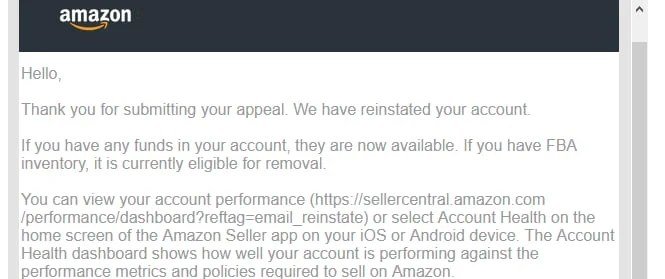
    Amazon email confirming a client's seller account was reinstated
    Real Amazon email from a client case
    Amazon email confirming a client's seller account was reinstated
    Real Amazon email from a client case
    Amazon email confirming a client's seller account was reinstated
    Real Amazon email from a client case

    How our fee works

    Reading your notice is free. If we take the case, you pay a small part to start and the rest only when you are selling again.

    $150To start: our full investigation ($200 for complex cases). Non-refundable.
    $350Only after your account is reinstated ($400 for complex cases).

    Complex cases are Section 3, counterfeit, related accounts, review manipulation and dropshipping. See our Amazon reinstatement cost guide for how pricing works across the industry.

    Frequently asked questions

    Where do I find my Amazon suspension notice?

    Amazon sends it by email and also shows it in Seller Central under Performance, Account Health, and in Performance Notifications. Read the Seller Central version, because it shows the appeal button and any documents Amazon is asking for.

    What if my notice does not explain the reason clearly?

    Vague notices are common, especially for Section 3 and related account cases. Check Account Health for policy violations, recent complaints, ASINs and order IDs, and review any outside tools, agencies or accounts linked to your business. Our appeals team reads notices for free.

    Does every notice need a Plan of Action?

    No. Verification and document requests usually need the right documents, not a Plan of Action. Policy and performance cases usually need a Plan of Action that explains the root cause, what you fixed and how you will prevent it.

    Should I reply to the notice email?

    Usually no. Most notice emails come from an address that does not accept replies. Appeal through Account Health in Seller Central, where Amazon tracks your case.

    How much does help with an Amazon notice cost?

    Reading your notice is free. Standard cases cost $150 to start (non-refundable) and $350 only after reinstatement. Complex cases such as Section 3, counterfeit, related accounts, review manipulation or dropshipping cost $200 to start and $400 after reinstatement.

    Send us your notice for a free review

    Our appeals team reads it and tells you honestly what we see, and what Amazon is likely to want.

    SellerReinstatement Appeals Team

    The SellerReinstatement appeals team has handled Amazon seller account reinstatement cases since 2014 across every Amazon marketplace. Every guide comes from real cases.

  • How Much Does Amazon Reinstatement Cost? 2026 Pricing Guide

    How Much Does Amazon Reinstatement Cost? 2026 Pricing Guide

    Amazon reinstatement cost ranges from nothing, if you appeal yourself, to several thousand dollars with some agencies. This guide explains how providers price their work, what makes a case cost more, the red flags to avoid, and exactly what we charge.

    By SellerReinstatement Appeals TeamUpdated October 20267 min read

    Quick answer

    Many agencies charge $1,000 to $2,000 or more for an account reinstatement, often paid upfront. Our fee is $150 to start and $350 only after reinstatement for standard cases, and $200 + $400 for complex cases such as Section 3. Reading your notice is free.

    Real Amazon reinstatement email from one of our client cases, shared with the client's permission
    Real result Amazon email from one of our client cases, shared with permission. Tap to view full size.

    Key takeaways

    • Amazon itself never charges for an appeal. You pay only for help writing it.
    • Agency prices vary widely, and many ask for the full fee before any work starts.
    • Complex cases (Section 3, counterfeit, related accounts) usually cost more because they take more investigation.
    • No provider can guarantee reinstatement. A guarantee is a red flag, not a feature.
    • Our fee: $150 to start and $350 only after reinstatement, or $200 + $400 for complex cases.

    Want an honest price for your case?

    Send us your notice. Reading it is free, and you get a clear quote before you pay.

    How Amazon reinstatement services charge

    Before comparing prices, compare how the fee is structured. Two services with the same total can carry very different risk for you.

    Pricing modelHow it worksYour risk
    Full fee upfrontYou pay the whole fee before work starts, often $1,000 to $2,000 or more with agencies.Highest. If Amazon says no, the money is usually gone.
    Small fee + success feeA smaller fee to start the investigation, and the larger part only after reinstatement.Lower. Most of the fee depends on the result.
    Hourly consultingYou pay for time, and you may write or submit the appeal yourself.Unpredictable total cost.
    Freelance gigsLow fixed prices on freelance marketplaces.Quality varies; reused templates are common, and Amazon reviewers see templates every day.
    Do it yourselfFree, apart from your time.A weak first appeal stays on the account history.

    What makes an Amazon reinstatement cost more

    • Case type: Section 3, counterfeit, related accounts, review manipulation and dropshipping need deeper investigation.
    • Earlier rejections: every new appeal has to stay consistent with what you already sent.
    • Missing documents: invoices, IDs or safety documents that need to be obtained or corrected first.
    • Scope: one listing is simpler than a whole account or held funds.

    Not sure which type you have? Our guide on why Amazon suspended your account walks through the common causes.

    Our fee for Amazon reinstatement

    We use the small fee + success fee model, because it keeps most of the risk on our side. The case type is confirmed in a written quote before you pay.

    $150To start: our full investigation ($200 for complex cases). Non-refundable.
    $350Only after your account is reinstated ($400 for complex cases).
    Case typeTo startAfter reinstatementTotal
    Standard: verification, funds on hold, listings, performance, IP complaints, restricted products$150$350$500
    Complex: Section 3, counterfeit or inauthentic, related accounts, review manipulation, dropshipping$200$400$600

    If Amazon rejects the appeal, we keep working on the same case at no extra cost until the account is reinstated or Amazon gives a final decision with no further appeal route. Full details are in our Terms and Refund Policy.

    What the fee includes

    • Free reading of your notice before you pay
    • Investigation of Account Health, orders, documents and earlier appeals
    • A Plan of Action written for your case, not a template
    • A document check so nothing contradicts earlier submissions
    • Submission support and follow-up on Amazon’s replies
    • Revised appeals if Amazon rejects one

    Red flags when choosing a reinstatement service

    • “Guaranteed reinstatement.” Amazon makes every decision. No one can promise the result.
    • Full payment upfront with nothing tied to the result. Ask what happens to your money if the appeal fails.
    • A request for your main Seller Central password. If access is needed, it should be a limited user permission.
    • Advice to open a new account. This usually leads to the new account being deactivated too.
    • Edited or “improved” documents. Altered documents can end a case permanently.
    • No questions about your case before quoting. A real appeal starts with reading your notice.

    Real reinstatement results

    These are reinstatement emails from client cases we handled, shared with our clients’ permission.

    Amazon email confirming a client's seller account was reinstated
    Real Amazon email from a client case
    Amazon email confirming a client's seller account was reinstated
    Real Amazon email from a client case
    Amazon email confirming a client's seller account was reinstated
    Real Amazon email from a client case

    Appealing an Amazon suspension yourself

    Appealing yourself costs nothing, and for simple cases such as a single listing or a clear performance dip, it can work. Start with our Amazon Plan of Action template. The risk is the account history: every rejected appeal stays on record, and later appeals must not contradict it. If your first appeal was already rejected, read what to do after a rejection before sending another.

    Frequently asked questions

    How much does Amazon reinstatement cost?

    It depends on the case type and the provider. Many agencies charge $1,000 to $2,000 or more, often paid upfront. Our fee is $150 to start and $350 only after reinstatement for standard cases, and $200 to start and $400 after reinstatement for complex cases. Reading your notice is free.

    Can I appeal an Amazon suspension myself for free?

    Yes. Amazon does not charge for appeals, and many sellers appeal on their own. The risk is that each rejected appeal becomes part of the account history, so a weak first appeal can make later ones harder.

    Why is the upfront fee non-refundable?

    It pays for the investigation and work on your case, which start as soon as you pay. The larger part of our fee is due only after your account is reinstated.

    What happens if Amazon rejects the appeal?

    We keep working on the same case at no extra cost until the account is reinstated or Amazon gives a final decision with no further appeal route. You pay the balance only after reinstatement.

    Is a service that guarantees reinstatement worth paying more for?

    No one can guarantee reinstatement, because Amazon makes every decision. Treat a guarantee as a red flag rather than a reason to pay more, and check exactly what happens to your money if the appeal fails.

    Get a free review and a clear quote

    Send us your notice. You get an honest answer and an exact price before you pay anything.

    SellerReinstatement Appeals Team

    The SellerReinstatement appeals team has handled Amazon seller account reinstatement cases since 2014 across every Amazon marketplace. Every guide comes from real cases.

  • Amazon US Seller Account Suspended? How to Get It Reinstated

    Amazon US Seller Account Suspended? How to Get It Reinstated

    If your Amazon US seller account is suspended, you are dealing with the strictest marketplace Amazon runs. Amazon.com uses the same appeal process as every other marketplace, but US sellers face extra triggers: INFORM Act verification, US tax details and US product safety rules. This guide explains what usually causes an Amazon US seller account suspension and how our appeals team approaches each case.

    By SellerReinstatement Appeals TeamUpdated October 20269 min read

    Quick answer

    If your Amazon US seller account is suspended (Amazon calls it “deactivated”), open Account Health in Seller Central and read the exact reason first. The most common US-specific causes are failed INFORM Act or identity verification, tax interview problems, and missing product safety documents. You appeal through Seller Central with a Plan of Action and documents that match your account exactly.

    Real Amazon reinstatement email from one of our client cases, shared with the client's permission
    Real result Amazon email from one of our client cases, shared with permission. Tap to view full size.

    Key takeaways

    • Amazon.com uses the same Account Health appeal process as other marketplaces.
    • US-specific triggers include INFORM Act verification, tax interview details and US product safety documents.
    • High-volume sellers must re-certify their information with Amazon at least once a year.
    • Every document must match the name, address and bank details in Seller Central exactly.
    • Never open a new account while the suspended one is under appeal.

    Need help with your Amazon US account?

    Send us your notice for a free case review. You get an honest answer before you pay.

    Why your Amazon US seller account was suspended

    These are the reasons we see most often on Amazon.com cases. Your notice in Account Health tells you which one applies.

    • INFORM Act or identity verification: details not verified, not re-certified, or documents that do not match the account. See our verification and funds guide.
    • Tax interview problems: a name or tax ID that does not match your W-9 or W-8BEN details.
    • Product safety and compliance: missing test reports or certificates for children’s products, supplements, cosmetics or other regulated items.
    • Inauthentic or IP complaints from brand owners. See inauthentic suspension and IP complaint retraction.
    • Performance: order defect rate, late shipments or cancellations above Amazon’s targets.
    • Section 3 and related accounts: suspected fraud, review manipulation or a link to another restricted account. See our Section 3 guide.

    Selling on Amazon.com and got a notice? Tap the green WhatsApp icon on your screen and send it to us. Reading it is free.

    INFORM Act and verification on Amazon.com

    The INFORM Consumers Act is a US law that took effect on June 27, 2023. It requires Amazon to collect and verify information from high-volume third-party sellers: anyone with 200 or more sales and $5,000 or more in revenue in a continuous 12-month period. Amazon must also get that information re-certified at least once a year.

    That means an account can be deactivated with no policy complaint at all, simply because verification failed or a re-certification request was missed. These cases are usually fixed with the right documents, not a long Plan of Action. Our Amazon INFORM Act verification guide covers the deadlines, documents and fixes in detail.

    Do thisAvoid this
    Upload ID, business and bank documents that show the exact name and address in Seller Central.Using a virtual office, agent or mail-forwarding address as your business address.
    Use a recent bank or utility statement that clearly shows your name and address.Resubmitting the same document Amazon already rejected.
    Make sure your tax interview name and tax ID match your business registration.Changing bank account or business details in the middle of verification.

    We are not tax advisers or lawyers. For questions about US tax or company registration, speak to a US accountant.

    US product safety and compliance

    Amazon.com asks for proof of compliance in regulated categories. Children’s products and toys often need testing by an accepted lab and a Children’s Product Certificate. Dietary supplements, cosmetics, and other categories have their own document requirements. If these are missing, listings are removed, and repeated problems can lead to account-level action. Appeals in these cases need the actual documents, not a promise to get them later.

    Amazon US performance targets

    Performance suspensions are the most straightforward to fix, as long as the appeal explains exactly why the numbers slipped. These are Amazon’s standard targets. Check your current numbers in Account Health and read our Account Health guide.

    MetricAmazon target
    Order defect rateUnder 1%
    Late shipment rateUnder 4%
    Pre-fulfillment cancel rateUnder 2.5%
    Valid tracking rateAbove 95%

    For an example of a performance appeal, see our performance Plan of Action sample.

    Selling on Amazon US from outside the United States

    Many Amazon.com sellers are based in India, China, the UK, the UAE and elsewhere. Amazon accepts them, but verification is stricter when the documents come from another country. The most common problems we see are a bank statement in a different name, an address that does not match the ID, and documents that are not in English and have no translation.

    Before you appeal, line up every document so the legal name, address and bank account are identical across all of them. If Amazon has asked for a video call, prepare the same original documents you uploaded.

    How to appeal an Amazon US suspension

    1. Read the notice and Account Health

    Note the exact reason, the policy named, any ASINs and any documents requested. Our guide on how to read an Amazon suspension notice walks through each part. Our guide to deactivated vs suspended explains what the status means.

    2. Fix the cause first

    Correct verification details, gather compliance documents or remove problem listings before you appeal.

    3. Write a specific Plan of Action

    Use the root cause, corrective actions and preventive measures structure in our Amazon Plan of Action template.

    4. Submit through Account Health

    Attach only documents that support your Plan of Action, and keep it consistent with anything you sent before.

    5. If it is rejected, do not resend

    Read the rejection line by line and change what Amazon objected to. Our guide on what to do when an appeal is rejected covers this step by step.

    Real reinstatement results

    These are reinstatement emails from client cases we handled, including cases that had been rejected before they reached us.

    Amazon email confirming a client's seller account was reinstated
    Real Amazon email from a client case
    Amazon email confirming a client's seller account was reinstated
    Real Amazon email from a client case
    Amazon email confirming a client's seller account was reinstated
    Real Amazon email from a client case

    How our fee works

    Reading your notice is free. If we take the case, you pay a small part to start and the rest only when you are selling again.

    $150To start: our full investigation ($200 for complex cases). Non-refundable.
    $350Only after your account is reinstated ($400 for complex cases).

    Complex cases are Section 3, counterfeit, related accounts, review manipulation and dropshipping.

    Frequently asked questions

    Is the Amazon.com appeal process different from other marketplaces?

    The process is the same: you appeal through Account Health in Seller Central. What differs in the US is the documents Amazon asks for, such as INFORM Act verification details, US tax information and US product safety documents.

    What is the INFORM Consumers Act and why does it affect my account?

    It is a US law that took effect on June 27, 2023. It requires Amazon to collect and verify information from high-volume third-party sellers, meaning 200 or more sales and $5,000 or more in revenue in a continuous 12-month period, and to get that information re-certified at least once a year. If verification fails or is not completed, Amazon can deactivate the account until it is fixed.

    Can I sell on Amazon US if my business is outside the United States?

    Yes. Many Amazon.com sellers are based outside the US. Your ID, business documents, bank account and address must all match the details in Seller Central, and documents in another language may need a translation.

    Should I open a new Amazon account while my US account is suspended?

    No. A new account is usually linked to the suspended one and deactivated as well, and it can make the original appeal harder. Appeal the existing account instead.

    How much does an Amazon US appeal cost?

    Reading your notice is free. Standard cases cost $150 to start (non-refundable) and $350 only after reinstatement. Complex cases such as Section 3, counterfeit, related accounts, review manipulation or dropshipping cost $200 to start and $400 after reinstatement.

    Get your Amazon US account reviewed for free

    Send us your notice. Our appeals team reads it and tells you honestly what we see.

    SellerReinstatement Appeals Team

    The SellerReinstatement appeals team has handled Amazon seller account reinstatement cases since 2014 across every Amazon marketplace. Every guide comes from real cases.

  • How to Reactivate an Inactive Amazon Seller Account

    Came back to Seller Central after a break and found your account deactivated? This guide shows how to reactivate an Amazon seller account after inactivity, what verification Amazon asks for, and the mismatches that get reactivations stuck.

    By SellerReinstatement Appeals TeamUpdated October 20267 min read

    Quick answer

    To reactivate an Amazon seller account after inactivity, log in to Seller Central with your original email, follow the reactivation or verification prompt, update your business details, and upload the documents Amazon asks for, usually a government ID and a recent bank or credit card statement. Amazon may also ask for a video call. Every name and address must match exactly. Don’t open a new account instead, because it may be treated as a related account.

    Real Amazon reinstatement email from one of our client cases, shared with the client's permission
    Real result Amazon email from one of our client cases, shared with permission. Tap to view full size.

    Key takeaways

    • Inactive accounts are usually reactivated through re-verification, not an appeal.
    • Update your details before you upload documents.
    • Names and addresses must match your ID and statements exactly.
    • Don’t open a new account instead.
    • Our appeals team checks your documents for free.

    Stuck reactivating your account?

    Send us the message Amazon shows you. We tell you honestly what it needs.

    Why Amazon deactivates inactive seller accounts

    Amazon may deactivate or ask to re-verify accounts that haven’t been used for a long time. It does this partly to stop unused accounts from being taken over or misused. Other common reasons an older account can’t sell are an expired ID, a credit card that no longer works, or a verification request that was never completed.

    What you seeWhat it usually meansWhat to do
    A reactivation or verification prompt after loginThe account needs re-verificationFollow the prompt and upload documents
    “Deactivated” on Account HealthVerification or a policy issueRead the notice and the reason given
    Payment or charge method failedCard expired or declinedUpdate the card in Settings
    Can’t log in at allOld email, password or two-step verificationRecover access first through Amazon’s login help

    How to reactivate an Amazon seller account

    1. Log in with the original email

    Use the email the account was created with. Don’t create a new login. If two-step verification uses an old phone number, recover access first.

    2. Read exactly what Amazon asks for

    Check the prompt, Account Health and your email, including spam. Note every document and detail Amazon lists.

    3. Update your details first

    Correct your legal name, address, phone number, bank account and credit card in Seller Central so they match your current documents.

    4. Upload clear documents

    Upload complete, readable files that match what you entered. If Amazon offers a video call, prepare for it with our video verification guide.

    5. Answer follow-ups quickly

    Amazon may ask for more information. Reply once, with exactly what it asks for.

    Not sure what Amazon is asking for? Tap the green WhatsApp icon on your screen and send us a screenshot. Reading it is free.

    Documents Amazon usually asks for

    • Government-issued ID (passport or national ID) that hasn’t expired.
    • Recent bank or credit card statement in the same name and address.
    • Business documents, if the account is registered to a company.
    • Utility bill or similar proof of address, if requested.
    • Working credit card for the seller account charges.
    • Video call with Amazon, in some cases.

    Why reactivations get stuck

    • The name on the ID doesn’t match the account name.
    • The address changed and Seller Central wasn’t updated.
    • Statements are older than Amazon allows or are cropped.
    • Documents are edited, blurred or screenshots of screenshots.
    • The bank account is in someone else’s name.
    • A new account was opened while the old one was inactive.

    For a deeper look at verification problems and held payouts, read our identity verification and frozen funds guide.

    After your account is reactivated

    • Check Account Health in every marketplace.
    • Review old listings for outdated prices, images and claims.
    • Make sure you can fulfill orders on time before turning listings on.
    • Keep invoices for every product you sell.

    Real reinstatement results

    These are reinstatement emails from client cases we handled, including verification cases.

    Amazon email confirming a client's seller account was reinstated
    Real Amazon email from a client case
    Amazon email confirming a client's seller account was reinstated
    Real Amazon email from a client case
    Amazon email confirming a client's seller account was reinstated
    Real Amazon email from a client case

    How our fee works

    Reading your notice is free. If we take the case, you pay a small part to start and the rest only when you are selling again.

    $150To start: our full investigation ($200 for complex cases). Non-refundable.
    $350Only after your account is reinstated ($400 for complex cases).

    Complex cases are Section 3, counterfeit, linked accounts, review manipulation and dropshipping.

    Frequently asked questions

    Why did Amazon deactivate my account for inactivity?

    Amazon may deactivate or ask to re-verify accounts that have not been used for a long time, partly to protect them from misuse. The notice or the Seller Central login screen usually explains what is needed.

    Do I need to verify my identity again?

    Often, yes. Amazon commonly asks for a government ID, a recent bank or credit card statement, and sometimes a video call. The details must match the information in Seller Central.

    Can I open a new account instead?

    Usually not. Amazon generally allows one seller account per business, and a new account linked to the old one may be deactivated as a related account. Reactivate the original account instead.

    What if my reactivation is rejected?

    Read the reason carefully, fix the mismatch or missing document, and submit once more with a short explanation. If it is rejected again, get help before you resubmit.

    How much does your help cost?

    Reading your notice is free. Standard cases are $150 to start and $350 only after reinstatement. Complex cases such as Section 3, counterfeit, linked accounts, review manipulation and dropshipping are $200 to start and $400 after reinstatement.

    Send us what Amazon is asking for

    Our appeals team reads it free and tells you honestly whether we can help.

    SellerReinstatement Appeals Team

    The SellerReinstatement appeals team has handled Amazon seller account reinstatement cases since 2014 across every Amazon marketplace. Every guide comes from real cases.

  • Amazon Restricted Products Plan of Action Sample

    Flagged for a restricted products policy violation? This guide gives a sample Amazon restricted products Plan of Action, explains the most common triggers, and lists the approvals and documents Amazon expects to see.

    By SellerReinstatement Appeals TeamUpdated October 20268 min read

    Quick answer

    An Amazon restricted products Plan of Action must name the ASINs and the specific restricted products rule, explain how the listing broke it, and show what you changed. Common triggers are listing items that need approval, banned ingredients, unsupported health or antibacterial claims, and hazmat items without a Safety Data Sheet. Remove or correct the listings first, attach approvals or documents where they exist, and describe the check you now run before listing.

    Real Amazon reinstatement email from one of our client cases, shared with the client's permission
    Real result Amazon email from one of our client cases, shared with permission. Tap to view full size.

    Key takeaways

    • Find the exact restricted products rule named in the notice.
    • A single word in a listing, like “antibacterial”, can trigger a violation.
    • Remove or correct every affected listing before you appeal.
    • Attach approvals, Safety Data Sheets or certificates where they apply.
    • Our appeals team reads your notice for free.

    Restricted products violation?

    Send us the notice. We tell you honestly whether the product can come back and what Amazon needs.

    Common restricted products triggers

    TriggerExampleUsual fix
    Category approval missingListing in a gated category without approvalRemove, then apply for approval if eligible
    Unsupported claims“Antibacterial”, “kills 99% of germs”, “cures”Remove the claims from title, bullets and images
    Banned ingredientsSupplements with ingredients Amazon doesn’t allowRemove the product from Amazon
    Hazmat or dangerous goodsBatteries, aerosols, flammable liquidsProvide a Safety Data Sheet and correct details
    Recalled or unsafe itemsProducts under a recallRemove and confirm stock is withdrawn

    Rules differ by marketplace. A product allowed on Amazon.com may be restricted elsewhere, so check each store you sell in.

    Weak vs strong restricted products Plan of Action

    Weak response

    Our product is legal and safe. We have removed the listing. Please reinstate our account.

    Doesn’t name the rule, the cause or any change to stop it happening again.

    Strong response

    ASIN B0XXXXXXX was flagged under Amazon’s pesticide policy because the title and two images said “kills 99.9% of germs”. The product has no pesticide registration, so we removed every germ-killing claim and added a keyword check before listing.

    Names the rule, the exact wording and a real process change. Details are illustrative.

    Not sure which rule your product broke? Tap the green WhatsApp icon on your screen and send us the notice. Reading it is free.

    Full sample Plan of Action (restricted products)

    Use this for structure only. Your appeal must use your own ASINs, policy name, dates and changes.

    Root causeOn [date], Amazon removed ASINs B0XXXXXXX and B0YYYYYYY under its [policy name] policy. We found that both listings described the products as “antibacterial” and showed germ-killing claims in the images. These products are not registered for such claims, and we did not check our listing wording against Amazon’s restricted products rules before publishing.

    Corrective actions

    • We removed all antibacterial and germ-killing wording from the titles, bullet points, descriptions and images of both listings.
    • We reviewed all [number] active listings for similar claims and corrected [number] more.
    • We asked our supplier to remove the same claims from the product packaging for future stock.

    Preventive measures

    • Before any listing goes live, a named team member checks it against Amazon’s restricted products pages for that category.
    • We use a list of restricted words, including health, pesticide and medical claims, and screen every title, bullet point and image.
    • We audit all active listings each month and keep a record of each check.

    For the general structure, see our Amazon Plan of Action template.

    Evidence to attach

    • Screenshots of the corrected or removed listings.
    • Category approval confirmation, if you have one.
    • Safety Data Sheet from the manufacturer for hazmat items.
    • Certificates or registrations that support any claim you keep.
    • Supplier invoices, if Amazon asks. See what Amazon accepts.
    • Your listing check as a short written procedure.

    A simple pre-listing check

    • Search Amazon’s restricted products pages for your category.
    • Check whether the category or brand needs approval.
    • Screen titles, bullets and images for health, medical and pesticide claims.
    • Get a Safety Data Sheet for batteries, aerosols and chemicals.
    • Check ingredients against Amazon’s lists for supplements and cosmetics.
    • Check each marketplace separately.

    Restricted products violations show up on Account Health, so watch it weekly.

    Real reinstatement results

    These are reinstatement emails from client cases we handled, including listing and product policy cases.

    Amazon email confirming a client's seller account was reinstated
    Real Amazon email from a client case
    Amazon email confirming a client's seller account was reinstated
    Real Amazon email from a client case
    Amazon email confirming a client's seller account was reinstated
    Real Amazon email from a client case

    How our fee works

    Reading your notice is free. If we take the case, you pay a small part to start and the rest only when you are selling again.

    $150To start: our full investigation ($200 for complex cases). Non-refundable.
    $350Only after your account is reinstated ($400 for complex cases).

    Complex cases are Section 3, counterfeit, linked accounts, review manipulation and dropshipping.

    Frequently asked questions

    Why was my product flagged as restricted when it is legal?

    Amazon’s rules are stricter than general law in many categories. A legal product can still need approval, or be flagged because of a word in the listing, such as a health or antibacterial claim.

    Can I relist the product after the appeal?

    Sometimes. If the product is allowed with approval or corrected wording, you can relist once the issue is fixed. If it is prohibited in that marketplace, it should stay off Amazon.

    What is a pesticide claim on Amazon?

    In the US, words such as antibacterial, antimicrobial or kills germs can make a product count as a pesticide, which needs registration. Removing unsupported claims is often part of the fix.

    Do I need a Safety Data Sheet?

    For products Amazon may treat as hazardous, such as some batteries, aerosols and chemicals, Amazon often asks for a Safety Data Sheet. Get it from the manufacturer.

    How much does your help cost?

    Reading your notice is free. Standard cases are $150 to start and $350 only after reinstatement. Complex cases such as Section 3, counterfeit, linked accounts, review manipulation and dropshipping are $200 to start and $400 after reinstatement.

    Send us your notice

    Our appeals team reads it free and tells you honestly whether we can help.

    SellerReinstatement Appeals Team

    The SellerReinstatement appeals team has handled Amazon seller account reinstatement cases since 2014 across every Amazon marketplace. Every guide comes from real cases.

  • Amazon IP Complaint Plan of Action Sample

    Lost a listing or your account over an intellectual property complaint? This guide gives a sample Amazon IP complaint Plan of Action for trademark, copyright and patent cases, compares weak and strong wording, and lists the evidence to attach.

    By SellerReinstatement Appeals TeamUpdated October 20268 min read

    Quick answer

    The fastest fix for an IP complaint is usually a retraction from the rights owner. When that isn’t possible, or Amazon asks for a Plan of Action, explain which listing and rights were involved, what you removed or changed, and the checks you now run before listing. If the complaint is wrong, send proof: invoices for genuine products, your own trademark registration or your original image files. An Amazon IP complaint Plan of Action that only says “we didn’t know” rarely works.

    Real Amazon reinstatement email from one of our client cases, shared with the client's permission
    Real result Amazon email from one of our client cases, shared with permission. Tap to view full size.

    Key takeaways

    • A retraction from the rights owner is usually the cleanest fix.
    • Match your response to the complaint type: trademark, copyright or patent.
    • If the complaint is wrong, prove it with documents, not arguments.
    • Several IP complaints can lead to an account deactivation.
    • Our appeals team reads your IP notice for free.

    Hit with an IP complaint?

    Send us the notice. We tell you honestly whether a retraction, proof or a Plan of Action is the right route.

    Types of Amazon IP complaint

    TypeWhat the rights owner claimsUsual fix
    TrademarkTheir brand name or logo is used without permission, or the product isn’t genuine.Retraction, invoices for genuine stock, or removing the brand from your listing.
    CopyrightImages, text or designs were copied.Replace the content with your own, or prove you created it.
    PatentThe product itself uses their patented design or invention.Retraction, proof of non-infringement, or stop selling the product.

    In the US, Amazon also runs a neutral patent evaluation process for some utility patent disputes. Check the notice for the options it offers.

    Retraction, proof or Plan of Action?

    1. Ask for a retraction

    If the rights owner agrees the complaint was a mistake, or you settle the issue with them, they can withdraw it. See our guide on how to get an Amazon IP complaint retracted.

    2. Prove the complaint is invalid

    If the products are genuine, or the content and brand are yours, send documents that show it. Keep the explanation short and factual.

    3. Write a Plan of Action

    If the complaint was valid, or Amazon asks for one, show what you removed and how you will avoid it in future.

    Weak vs strong IP complaint Plan of Action

    Weak response

    We are sorry. We didn’t know this was not allowed. It will not happen again.

    No ASIN, no explanation of the infringement and no proof of change.

    Strong response

    ASIN B0XXXXXXX used two product photos owned by [rights owner]. We deleted both images, replaced them with photos we took ourselves (originals attached) and now check every image source before listing.

    Names the listing and rights, shows the fix and a real process. Details are illustrative.

    Not sure which route fits your complaint? Tap the green WhatsApp icon on your screen and send us the notice. Reading it is free.

    Full sample Plan of Action (trademark complaint)

    Use this for structure only. Your appeal must use your own ASINs, rights owner, dates and changes.

    Root causeOn [date], [rights owner] filed a trademark complaint against ASIN B0XXXXXXX. Our listing used the [brand] name in the title to describe compatibility, and the product images showed the [brand] logo. We did not have permission to use the brand name or logo in this way.

    Corrective actions

    • We removed the brand name from the title and bullet points and replaced the images with photos that show only our product.
    • We reviewed all [number] active listings and corrected [number] more that used third-party brand names.
    • We contacted [rights owner] to explain the changes.

    Preventive measures

    • Before any listing goes live, a named team member checks titles, images and descriptions for third-party brand names and logos.
    • We only use images we created or have written permission to use, and we keep the originals on file.
    • We review listings with Amazon’s IP policy pages once a month.

    For the general structure, see our Amazon Plan of Action template.

    Evidence to attach

    • Invoices from the brand or an authorized distributor, if the products are genuine. See what Amazon accepts.
    • Retraction email from the rights owner, if you have one.
    • Your own rights: trademark registration, design record or original image files.
    • Screenshots of the corrected or removed listings.
    • Letter of authorization from the brand, where relevant.
    • Your new listing check as a short written procedure.

    If the complaint led to an account deactivation, read why Amazon suspended your account for the first steps.

    Real reinstatement results

    These are reinstatement emails from client cases we handled, including IP and listing cases.

    Amazon email confirming a client's seller account was reinstated
    Real Amazon email from a client case
    Amazon email confirming a client's seller account was reinstated
    Real Amazon email from a client case
    Amazon email confirming a client's seller account was reinstated
    Real Amazon email from a client case

    How our fee works

    Reading your notice is free. If we take the case, you pay a small part to start and the rest only when you are selling again.

    $150To start: our full investigation ($200 for complex cases). Non-refundable.
    $350Only after your account is reinstated ($400 for complex cases).

    Complex cases are Section 3, counterfeit, linked accounts, review manipulation and dropshipping.

    Frequently asked questions

    Is a retraction better than a Plan of Action?

    Usually, yes. If the rights owner withdraws the complaint, Amazon normally removes it from your Account Health. A Plan of Action is for cases where a retraction is not possible or Amazon asks for one.

    Do genuine products protect me from a trademark complaint?

    Invoices that prove genuine products help, but they do not always resolve a trademark complaint on their own. Amazon may still ask for a retraction or for proof that the complaint was invalid.

    What if the complaint is about my own photos or brand?

    Send proof that the content or brand is yours, such as original image files, a trademark registration or a design record. Explain the facts briefly and ask Amazon to review the complaint.

    Can repeated IP complaints deactivate my account?

    Yes. Several IP complaints, even on different ASINs, can lead to an account-level deactivation. Resolve each one and remove risky listings early.

    How much does your help cost?

    Reading your notice is free. Standard cases are $150 to start and $350 only after reinstatement. Complex cases such as Section 3, counterfeit, linked accounts, review manipulation and dropshipping are $200 to start and $400 after reinstatement.

    Send us your IP notice

    Our appeals team reads it free and tells you honestly whether we can help.

    SellerReinstatement Appeals Team

    The SellerReinstatement appeals team has handled Amazon seller account reinstatement cases since 2014 across every Amazon marketplace. Every guide comes from real cases.

  • Amazon Account Permanently Deactivated: Can It Be Reinstated?

    Got a message saying your Amazon account is permanently deactivated or that Amazon won’t review more appeals? This guide explains what that notice really means, when an appeal can still work, what happens to your funds, and what not to do next.

    By SellerReinstatement Appeals TeamUpdated October 20268 min read

    Quick answer

    When Amazon says an account is permanently deactivated, it usually means earlier appeals were rejected and Amazon considers the decision final. That is serious, but it isn’t always the end. If earlier appeals missed the real cause or lacked proof, a complete new appeal with new information can sometimes still be reviewed. If the decision rests on a serious, proven violation, reinstatement may not be realistic. Don’t open a new account, and don’t send repeated appeals.

    Real Amazon reinstatement email from one of our client cases, shared with the client's permission
    Real result Amazon email from one of our client cases, shared with permission. Tap to view full size.

    Key takeaways

    • “Permanently deactivated” usually follows rejected appeals. It is serious but not always final.
    • A new appeal only helps if it brings something new: the real cause, new proof or real changes.
    • Some cases can’t realistically be won. An honest review tells you which kind yours is.
    • Never open a new account or use a relative’s details to sell.
    • Our appeals team reads your notice and appeal history for free.

    Told your account is permanently deactivated?

    Send us the notice and every appeal you’ve sent. We tell you honestly whether there is still a realistic path.

    What “Amazon account permanently deactivated” means

    Amazon uses this wording, or says it will not review further appeals, after it has rejected one or more appeals and considers the matter closed. It often appears after several short appeals that didn’t answer the original notice. Before you decide anything, collect the original notice, every appeal you sent, and every reply from Amazon. Those documents show why the earlier appeals failed.

    When an appeal can still work, and when it can’t

    A new appeal may still work ifReinstatement is unlikely if
    Earlier appeals named the wrong root causeAmazon has clear evidence of serious fraud or deliberate abuse
    You now have invoices or documents you didn’t send beforeThe products can’t be proven genuine and there is no supplier record
    The deactivation came from a mistake, such as a wrongly linked accountEarlier appeals contained false or edited documents
    You have made real changes you can proveThe account was opened to get around an earlier deactivation

    If your case looks like the right-hand column, we will tell you so before you pay anything.

    Not sure which side your case is on? Tap the green WhatsApp icon on your screen and send us your notice. Reading it is free.

    Your options after a permanent deactivation

    1. One complete new appeal

    If the Appeal button is still available in Account Health, a new appeal can be reviewed when it brings something new: the real root cause, missing documents or proof of changes. It must not contradict earlier appeals. Start with our guide to rejected appeals and the Plan of Action template.

    2. A written escalation

    Some sellers escalate a well-documented case in writing. It only helps when the case is complete and factual. Repeated or emotional escalations usually make things worse. See how to contact Amazon about a suspended account.

    3. A legal route

    Amazon’s seller agreement includes a dispute process that differs by region. We are not lawyers. If you are considering this, speak to a qualified lawyer.

    4. Accept the decision and recover funds

    When a case can’t realistically be won, the useful work is recovering your remaining balance and inventory.

    What happens to your funds and inventory

    • Held balance: Amazon usually holds it for a period, often at least 90 days, to cover refunds, claims and chargebacks.
    • Release: after the hold, Amazon may release what remains. Ask through Seller Support or Account Health.
    • FBA inventory: create removal orders so stock isn’t disposed of. Check fees and deadlines in Seller Central.
    • Records: download order reports and invoices while you still have access.

    For held funds on an active or reinstated account, see our identity verification and frozen funds guide.

    What not to do

    • Don’t open a new seller account without Amazon’s permission.
    • Don’t sell through a relative’s or friend’s account.
    • Don’t send a new appeal every few days.
    • Don’t change your story from one appeal to the next.
    • Don’t edit or create documents.
    • Don’t pay anyone who promises a guaranteed result.

    To understand what led to the deactivation, start with why Amazon suspended your account.

    Real reinstatement results

    These are reinstatement emails from client cases we handled, including cases that had been rejected before they reached us.

    Amazon email confirming a client's seller account was reinstated
    Real Amazon email from a client case
    Amazon email confirming a client's seller account was reinstated
    Real Amazon email from a client case
    Amazon email confirming a client's seller account was reinstated
    Real Amazon email from a client case

    How our fee works

    Reading your notice and appeal history is free. If we take the case, you pay a small part to start and the rest only when you are selling again.

    $150To start: our full investigation ($200 for complex cases). Non-refundable.
    $350Only after your account is reinstated ($400 for complex cases).

    Complex cases are Section 3, counterfeit, linked accounts, review manipulation and dropshipping.

    Frequently asked questions

    Can a permanently deactivated Amazon account be reinstated?

    Sometimes. If earlier appeals missed the real cause or lacked evidence, a complete new appeal can still be reviewed. If Amazon’s decision rests on a serious, proven violation, reinstatement may not be realistic, and we will tell you that honestly.

    Can I open a new Amazon seller account?

    Not while your account is deactivated, unless Amazon gives you permission. A new account linked to you is usually found and deactivated as a related account, and it can hurt the original case.

    What happens to the money in my account?

    Amazon usually holds the balance for a period, often at least 90 days, to cover refunds, claims and chargebacks. After that it may release what remains. Check your notice and ask through Seller Support or Account Health.

    Should I take legal action against Amazon?

    Amazon’s seller agreement includes a dispute process that differs by region. We are not lawyers, so speak to a qualified lawyer if you are considering it.

    How much does your help cost?

    Reading your notice is free. Standard cases are $150 to start and $350 only after reinstatement. Complex cases such as Section 3, counterfeit, linked accounts, review manipulation and dropshipping are $200 to start and $400 after reinstatement.

    Get an honest second opinion

    Our appeals team reads your notice and appeal history free and tells you honestly whether we can help.

    SellerReinstatement Appeals Team

    The SellerReinstatement appeals team has handled Amazon seller account reinstatement cases since 2014 across every Amazon marketplace. Every guide comes from real cases.

  • Amazon Inauthentic Plan of Action Sample

    Deactivated for inauthentic or counterfeit complaints? This guide gives a sample Amazon inauthentic Plan of Action, shows a weak version next to a strong one, and lists the invoices and evidence Amazon expects you to attach.

    By SellerReinstatement Appeals TeamUpdated October 20268 min read

    Quick answer

    An Amazon inauthentic Plan of Action must explain why buyers or the brand questioned your products, prove where the stock came from, and show what you changed. Name the ASINs and complaints, attach invoices from the manufacturer or an authorized distributor, remove anything you can’t prove, and describe supplier checks you now run before buying. Vague denials such as “our products are 100% genuine” without proof are the most common reason these appeals fail.

    Real Amazon reinstatement email from one of our client cases, shared with the client's permission
    Real result Amazon email from one of our client cases, shared with permission. Tap to view full size.

    Key takeaways

    • Name the exact ASINs and complaints from the notice.
    • Invoices from the manufacturer or an authorized distributor are the core proof.
    • Remove any product you can’t prove is genuine.
    • Describe supplier checks you already run, not ones you plan to.
    • Inauthentic cases are complex-fee cases. Reading your notice is free.

    Facing an inauthentic deactivation?

    Send us your notice and invoices. We tell you honestly whether they’re strong enough before you pay.

    The 3 parts of an Amazon inauthentic Plan of Action

    1. Root cause

    Why buyers or the rights owner questioned the products. Common causes are buying from unauthorized wholesalers, mixing stock from different suppliers, damaged or repackaged items, and listings that don’t match the product shipped.

    2. Corrective actions

    What you have already done about the flagged ASINs: removed or closed listings, checked and quarantined inventory, refunded or contacted affected buyers, and gathered invoices.

    3. Preventive measures

    The processes you now follow so it doesn’t happen again: buying only from the brand or authorized distributors, checking supplier credentials, keeping invoices for every batch and inspecting stock on arrival.

    Weak vs strong inauthentic Plan of Action

    Weak response

    Our products are 100% authentic. We buy from a trusted supplier and have never had a problem. Please reinstate our account.

    No ASINs, no proof, no explanation of the complaints and nothing changed.

    Strong response

    Amazon received 3 authenticity complaints on ASIN B0XXXXXXX. We found that part of this stock came from a wholesaler who is not authorized by the brand. We removed the listing, quarantined 140 units and now buy this brand only from its authorized distributor (invoices attached).

    Specific, honest, backed by evidence and shows a real change. Details are illustrative.

    Not sure your invoices will be accepted? Tap the green WhatsApp icon on your screen and send them to us. We check them free.

    Full sample Plan of Action (inauthentic complaint)

    Use this for structure only. Your appeal must use your own ASINs, complaint details, suppliers and dates.

    Root causeOur account received authenticity complaints on ASINs B0XXXXXXX and B0YYYYYYY between [dates]. After reviewing our purchase records, we found that some of the stock for these ASINs was bought from [wholesaler], which is not an authorized distributor of [brand]. We could not trace these units back to the brand, so we cannot confirm their authenticity.

    Corrective actions

    • We closed both listings and removed the remaining units from sale.
    • We quarantined [number] units from this supplier and will not sell them on Amazon.
    • We contacted every buyer who complained and offered a full refund.
    • We stopped buying from [wholesaler] on [date].

    Preventive measures

    • We now buy [brand] products only from [authorized distributor]. Invoices are attached.
    • Before adding a new supplier, we verify its business registration and authorization from the brand.
    • We keep invoices for every batch and match them to listings before going live.
    • A named team member inspects incoming stock for packaging and label consistency.

    For the general structure behind every appeal, see our Amazon Plan of Action template.

    Evidence to attach

    • Supplier invoices covering the flagged ASINs. Check them against our invoice requirements guide.
    • Letter of authorization from the brand, where you have one.
    • Supplier contact details and website, so Amazon can verify them.
    • Proof of removal: screenshots of closed listings and inventory reports.
    • Buyer contact records showing refunds or replies.
    • New supplier checks: a short written procedure with dates.

    Mistakes that get inauthentic appeals rejected

    • Claiming items are genuine without invoices to prove it.
    • Sending retail receipts instead of commercial invoices.
    • Invoices in a different name or address from Seller Central.
    • Blaming the buyer or the brand for the complaint.
    • Editing any document. Amazon can contact suppliers.
    • Copying a template word for word.

    For the full background on why these complaints start, read our inauthentic item suspension guide.

    Real reinstatement results

    These are reinstatement emails from client cases we handled, including inauthentic and counterfeit cases.

    Amazon email confirming a client's seller account was reinstated
    Real Amazon email from a client case
    Amazon email confirming a client's seller account was reinstated
    Real Amazon email from a client case
    Amazon email confirming a client's seller account was reinstated
    Real Amazon email from a client case

    How our fee works

    Reading your notice and invoices is free. Inauthentic cases are complex cases, so the fee is:

    $200To start: our full investigation. Non-refundable.
    $400Only after your account is reinstated.

    Standard cases are $150 to start and $350 after reinstatement.

    Frequently asked questions

    Can I win an inauthentic appeal without invoices?

    It is much harder. Invoices from the manufacturer or an authorized distributor are the main proof Amazon looks for. Without them, the realistic option is often to remove the products and show what you changed.

    Should I admit the items were counterfeit?

    Only say what is true. If your supplier could not prove authenticity, explain that honestly and show you have stopped selling those items. Never claim products were genuine if you cannot support it.

    Can I copy this sample Plan of Action?

    Use it for structure only. Amazon reviewers see the same templates every day, and your appeal must name your own ASINs, complaints, suppliers and changes.

    Is an inauthentic case a complex case?

    Yes. Counterfeit and inauthentic cases use our complex-case fee of $200 to start and $400 after reinstatement.

    Can you write my inauthentic Plan of Action?

    Yes. We read your notice and invoices for free, then write a Plan of Action based on your actual supply chain if we take the case.

    Send us your notice and invoices

    Our appeals team reads them free and tells you honestly whether we can help.

    SellerReinstatement Appeals Team

    The SellerReinstatement appeals team has handled Amazon seller account reinstatement cases since 2014 across every Amazon marketplace. Every guide comes from real cases.

  • How Long Does Amazon Reinstatement Take?

    Waiting to hear back from Amazon is one of the hardest parts of a deactivation. This guide explains how long Amazon reinstatement takes, what makes some cases slow, and how to avoid the mistakes that add weeks.

    By SellerReinstatement Appeals TeamUpdated October 20267 min read

    Quick answer

    There is no fixed timeline. Amazon doesn’t publish a guaranteed review time, and it varies by case type and marketplace. Simple performance or listing appeals often get a first reply within a few days. Inauthentic, verification, related-account and Section 3 cases usually take longer, often several weeks, especially if Amazon asks for more documents. The biggest delays come from incomplete appeals, mismatched documents and sending several quick appeals.

    Real Amazon reinstatement email from one of our client cases, shared with the client's permission
    Real result Amazon email from one of our client cases, shared with permission. Tap to view full size.

    Key takeaways

    • Amazon doesn’t promise a review time. Anyone who guarantees a date is guessing.
    • Simple cases can move in days. Complex cases often take weeks.
    • One complete appeal is faster than several quick ones.
    • Document mismatches are the most common cause of extra rounds.
    • Our appeals team reads your notice for free.

    Waiting too long already?

    Send us your notice and what you have sent so far. We tell you honestly where the case stands.

    How long Amazon reinstatement takes: the typical timeline

    Most cases follow the same stages. The time each stage takes depends on how complete your appeal is and how serious Amazon considers the issue. If you would rather have the appeal prepared for you, our Amazon account reinstatement service starts with a free review of your notice.

    1. Preparing the appeal

    Reading the notice, finding the root cause, fixing it and collecting documents. This is the stage you control, and rushing it is what causes most later delays.

    2. Amazon’s first review

    After you submit through Account Health, Amazon reviews the appeal. For simple cases this can take a few days. For complex ones it can take longer.

    3. Follow-up requests

    Amazon may reply asking for more information, specific invoices or a clearer Plan of Action. Each round adds time, so answering exactly what was asked matters.

    4. Decision and reactivation

    If the appeal is accepted, Amazon sends a reinstatement email and listings usually come back over the following hours or days. Some listings may need separate reactivation.

    Speed by case type

    These are general patterns, not promises. Every case and marketplace is different.

    Case typeUsuallyWhy
    Performance metricsFasterClear numbers and fixes that are easy to show.
    Listing and condition complaintsFasterOften limited to a few ASINs.
    IP complaintsVariesDepends on whether the rights owner retracts.
    Identity verification and fundsVariesDocument checks and video call scheduling.
    Inauthentic or counterfeitSlowerInvoices and supply chain are checked closely.
    Related accounts and Section 3SlowerInvestigations by specialist teams, often several rounds.

    Not sure which type your case is? Tap the green WhatsApp icon on your screen and send us the notice. Reading it is free.

    What makes Amazon reinstatement take longer

    • Several quick appeals. Each rejection adds to the account history and the next reviewer has more to read.
    • Answering the wrong problem. An appeal that doesn’t match the policy and ASINs in the notice gets sent back.
    • Document mismatches. Names and addresses that don’t match Seller Central lead to extra requests. See our invoice requirements guide.
    • Promises instead of actions. “We will monitor closely” isn’t a fix. Amazon wants changes already made.
    • Contradicting earlier messages. A new story in each appeal makes reviewers doubt all of them.
    • Missed follow-ups. Slow replies to Amazon’s requests leave the case waiting.

    If Amazon has already rejected your appeal, read what to do after a rejected appeal before you send anything else.

    What to do while you wait

    • Check Seller Central messages and email daily, including spam.
    • Reply to any Amazon request with exactly what it asks for.
    • Don’t open a new seller account. It usually counts as a related account.
    • Keep fixing the cause, and save proof of each change.
    • Prepare your inventory and listings so you can restart quickly.
    • Watch Account Health in every marketplace.

    Real reinstatement results

    These are reinstatement emails from client cases we handled, including cases that had been rejected before they reached us.

    Amazon email confirming a client's seller account was reinstated
    Real Amazon email from a client case
    Amazon email confirming a client's seller account was reinstated
    Real Amazon email from a client case
    Amazon email confirming a client's seller account was reinstated
    Real Amazon email from a client case

    How our fee works

    Reading your notice is free. If we take the case, you pay a small part to start and the rest only when you are selling again.

    $150To start: our full investigation ($200 for complex cases). Non-refundable.
    $350Only after your account is reinstated ($400 for complex cases).

    Complex cases are Section 3, counterfeit, linked accounts, review manipulation and dropshipping.

    Frequently asked questions

    Does Amazon have a fixed time to answer an appeal?

    No. Amazon does not publish a guaranteed review time for appeals. Some get a reply within days, others take weeks, especially when Amazon asks for more information.

    Will sending more appeals speed things up?

    No. Several quick appeals usually slow the case down, because each rejection becomes part of the account history and the reviewer has more to read.

    What happens to my funds while I wait?

    Amazon usually holds the balance while the account is deactivated. If the account is reinstated, payouts normally restart on the regular schedule. If it is not, Amazon often holds funds for at least 90 days before it reviews whether they can be released.

    Can you guarantee a reinstatement date?

    No one can honestly guarantee a date, because Amazon decides the timing. What we can do is send one complete, well-evidenced appeal, which avoids the most common delays.

    How much does your help cost?

    Reading your notice is free. Standard cases are $150 to start and $350 only after reinstatement. Complex cases such as Section 3, counterfeit, linked accounts, review manipulation and dropshipping are $200 to start and $400 after reinstatement.

    Send us your suspension notice

    Our appeals team reads it free and tells you honestly whether we can help.

    SellerReinstatement Appeals Team

    The SellerReinstatement appeals team has handled Amazon seller account reinstatement cases since 2014 across every Amazon marketplace. Every guide comes from real cases.